We remain fully operational. Our teams are working around the clock to ensure your deliveries continue safely.

DOWNLOAD THE APP


Customer Services
Copyright © 2025 Desertcart Holdings Limited
DOWNLOAD THE APP
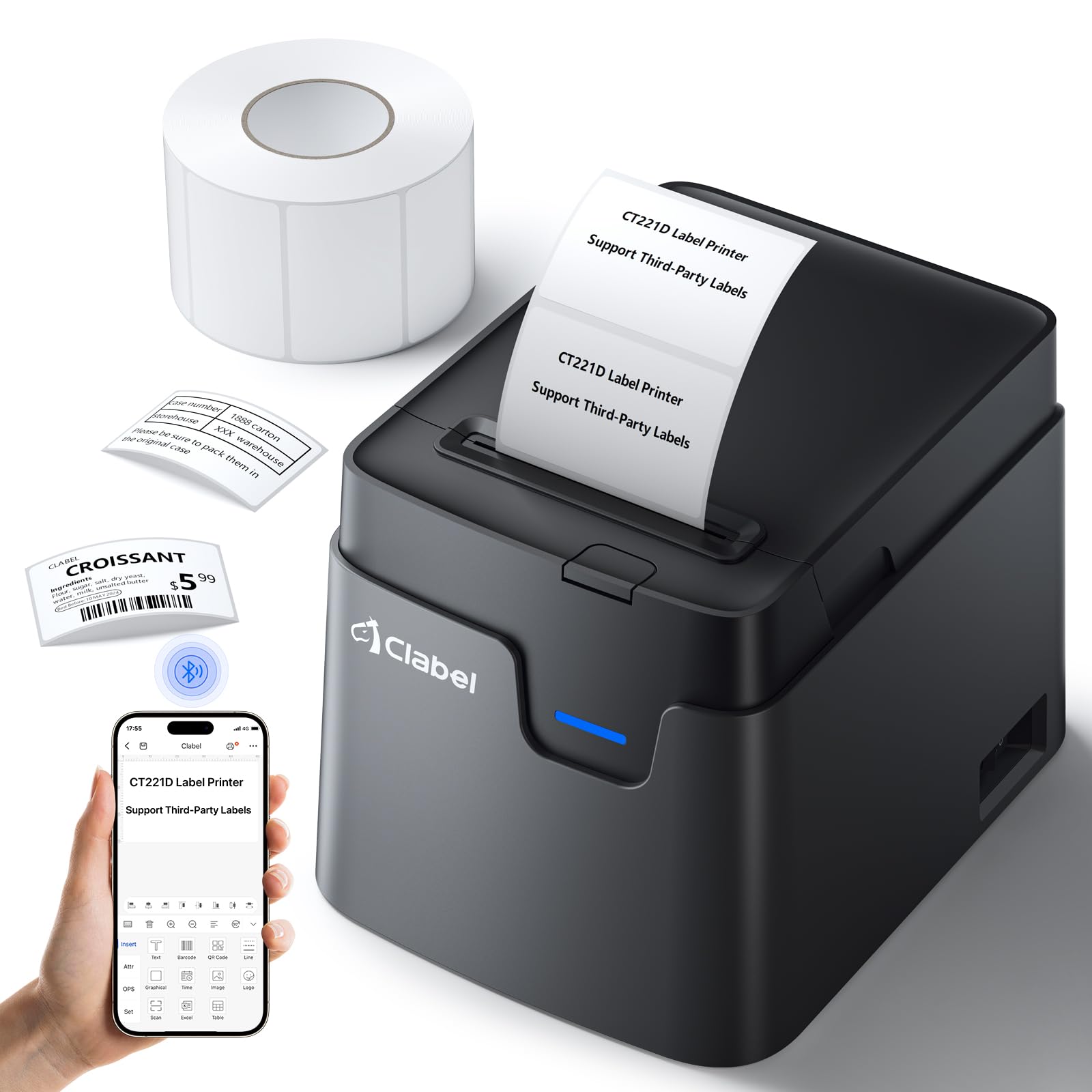


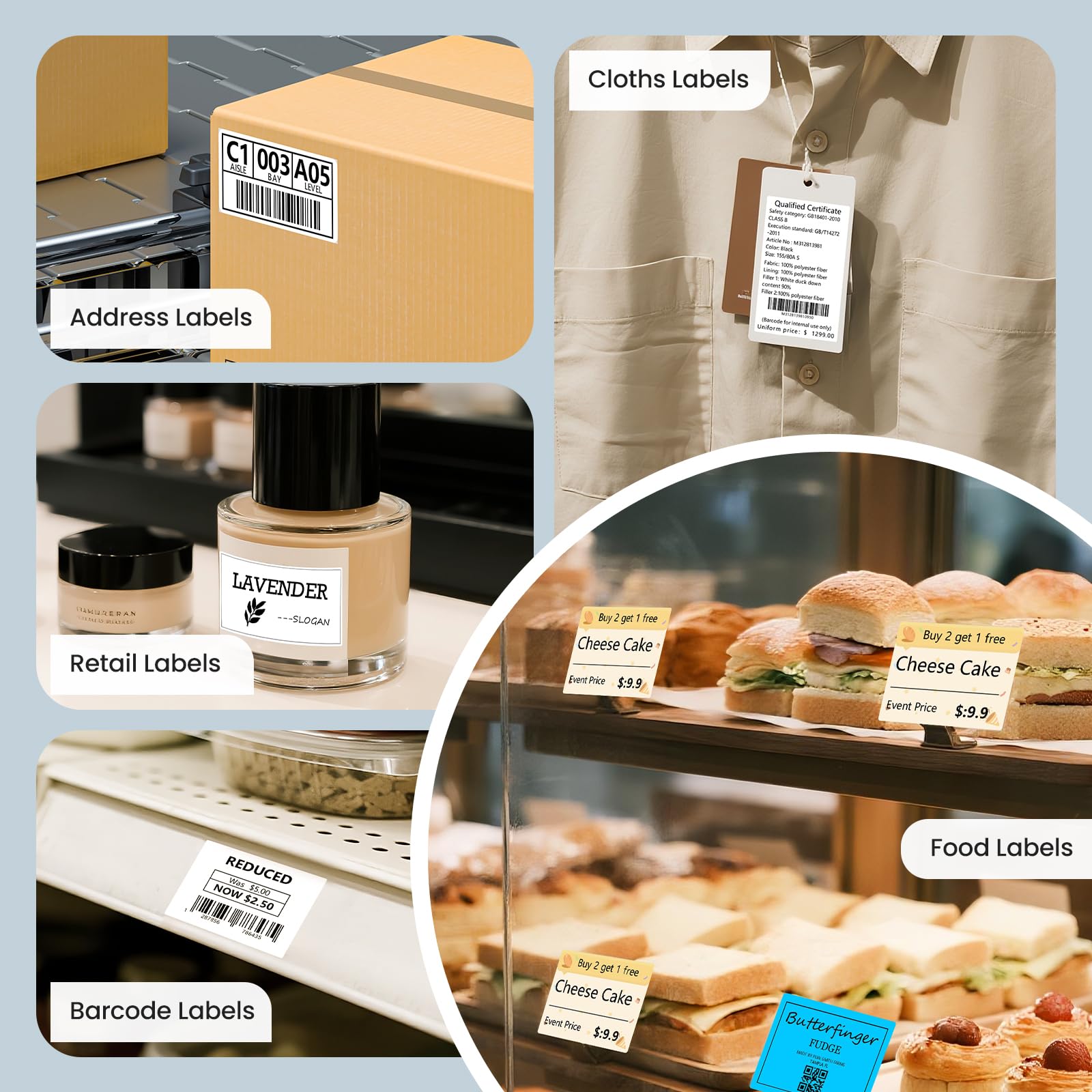

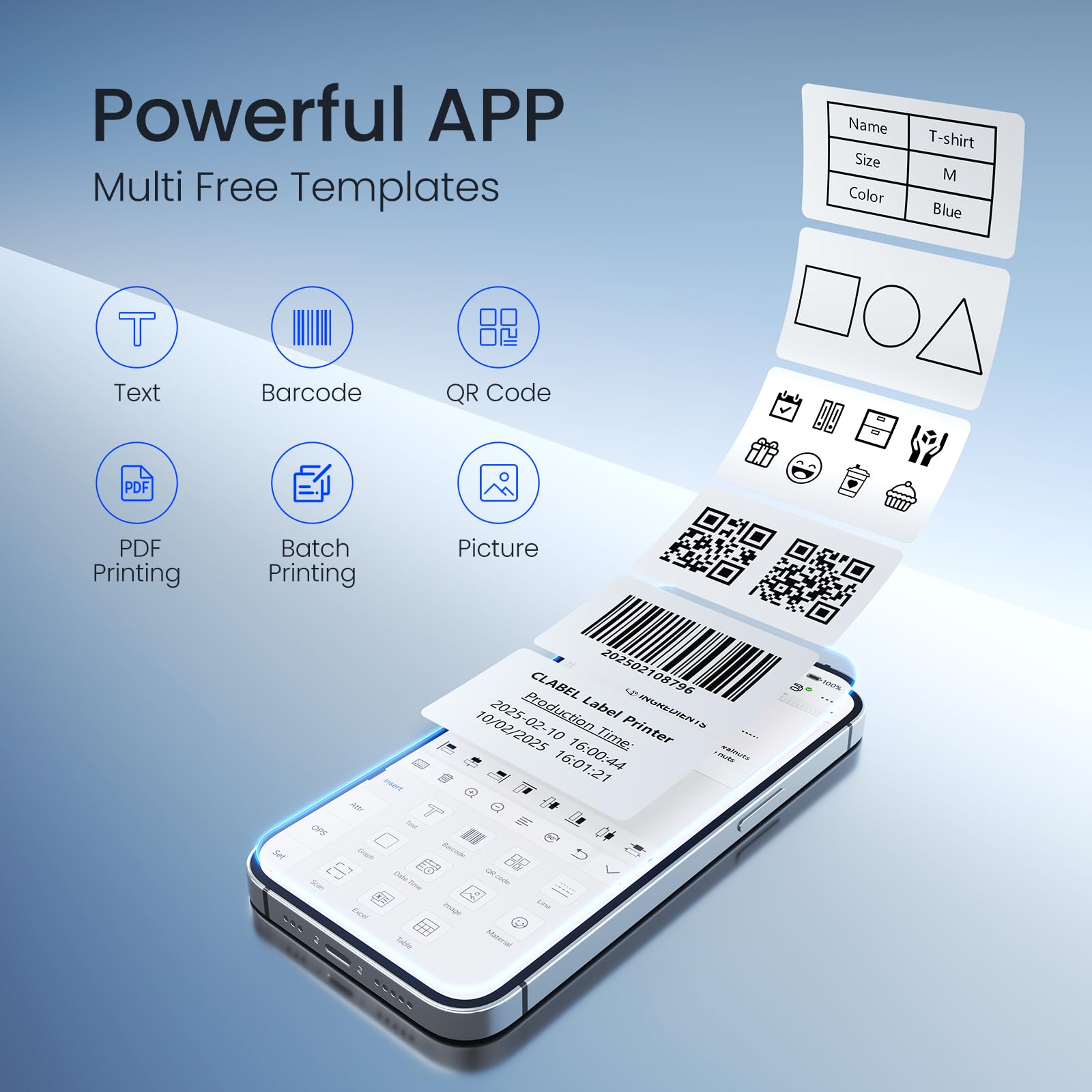
🚀 Print smart, save smarter — label like a boss!
The CLABEL Desk Bluetooth Barcode Label Printer 221D delivers direct thermal printing with a max width of 48mm at 60 pages per minute. Its Bluetooth connectivity pairs seamlessly with a robust app featuring extensive customization options including fonts, icons, and barcode/QR code support. Lightweight and compact, it’s designed for quick setup and cost-effective label printing using any compatible label rolls, making it a top choice for small businesses and home office efficiency.




| ASIN | B0BWTKLP4Q |
| Additional Printer functions | Print Only |
| Best Sellers Rank | #40,225 in Office Products ( See Top 100 in Office Products ) #111 in Desktop Label Printers |
| Compatible Devices | PC |
| Control Method | App |
| Controller Type | iOS |
| Customer Reviews | 4.1 4.1 out of 5 stars (1,038) |
| Date First Available | February 25, 2023 |
| Dual-sided printing | No |
| Duplex | Simplex |
| Hardware Interface | Bluetooth |
| Included Components | Labels |
| Ink Color | black |
| Item Weight | 2.07 pounds |
| Item model number | CT221D |
| Manufacturer | CLABEL |
| Max Copy Speed (Black & White) | 60 ppm |
| Max Input Sheet Capacity | 1 |
| Max copy resolution black-white | 120 dpi |
| Max copy resolution color | 120x120 dpi |
| Maximum Black and White Print Resolution | 120x120 dpi |
| Maximum Color Print Resolution | 120x120 dpi |
| Maximum Media Size | 25-50mm |
| Memory Storage Capacity | 64 MB |
| Model Series | 221 |
| Print media | Labels |
| Printer Ink Type | Thermal |
| Processor Count | 1 |
| Product Dimensions | 4.64 x 5.98 x 4.33 inches |
| Scanner Type | Portable |
| Sheet Size | 20 Millimeters |
| Smart Home Compatibility | Smart Home Compatible |
| Specific Uses For Product | [INFERRED: Small business operations, inventory management, address labeling] |
| Supported Media Sizes | A5, A6 |
M**Y
They DO take care of their customers
I’m sure you might think all the 1 star reviews are just angry. This isn’t that. It’s just disappointing that it’s not what is described. I got it for my 2” labels. This does NOT take 2” labels like it says. Only 48mm. Which is NOT 2”. If you’re thinking of getting this and you have industry standard 2 inch labels, don’t get this Update: they sent me a replacement unit that fits up to 3”, so it did my 2” labels easily and beautifully. The software is super good. It can’t copy to another phone that I have seen, but it’s setup makes it the best software I have seen so far, and it was super easy to set up. I am changing my review to 5 star because this new printer they sent is 110% exactly what I wanted and needed. Thank you!
E**S
Calidad de impresión excelente para su precio, buena velocidad y permite impresión desde la web, probada con Windows 11
F**6
Doesn't work at all
I had hoped this small label printer would make it easy for me to work on a project I am currently doing. Unfortunately, the printer I got does not seem to work well. Even using the preloaded templates, each time I try to print a label I get an error that the machine is out of paper. It might print one label, and then it says it's out of paper even though the entire roll is still installed. I have to open and close the machine each time. Also, the included labels don't stay in place so the labels that do manage to print are crooked. I'm not sure if there's a piece missing, but there is no way to keep the roll of labels stable inside the machine. The instruction manual is useless and the QR code brings up a warning on my phone that I am about to download unsafe files. I will be returning this.
J**E
Funcional
K**E
Works, once you figure it out
This label maker does pretty much what I needed it to do, and is portable. The software to make the labels takes some figuring out. But it stays active in the background unless you actively turn it off. I have used two different sets of labels with it. The smaller set I bought worked great, but was a bit pricey per label. In order to get a better per label price, I bought a large roll of labels. That means that in order to use them in the label maker, I have to pull off about 100 at a time and roll them around the center roll that the smaller label roll came on and use them that way. It's a bit tedious, but saves a ton of money. It's definitely a cost effective method to make labels though.
J**N
Portable
Love the portability of this label printer. Easy to set up and use. Makes organizing items easy.
J**Y
Meat stickers
This is a nice product to make stickers that I attache on my packages of meat for my business that I sell at a farmers market . It is so convenient that I can take it with me anywhere I want.
B**K
Ok
Ok
V**K
Llevo un mes usando esta impresora de etiquetas y la verdad es que me ha sorprendido lo fácil y práctica que es. Desde el primer momento la instalación fue súper sencilla: en PC basta con descargar la app oficial desde la web, conectarla por WiFi o USB y listo, no hay que configurar nada. En móvil igual, con Bluetooth y la aplicación ya puedes empezar a imprimir sin complicaciones. La calidad de impresión es muy buena, las etiquetas salen claras y nítidas, sin manchas, y lo que más me gusta es que la impresora se ajusta sola si metes el rollo demasiado adentro o afuera. También detecta automáticamente el tipo de etiqueta que coloques, lo que hace todo más rápido y preciso. En mi caso la utilizo para imprimir etiquetas de productos que vendo, y cumple perfecto. Es pequeña, ligera y muy fácil de transportar. La batería es otro punto fuerte: me dura más de una semana con uso normal y se carga por completo en apenas 20 minutos. Los consumibles también son muy económicos y fáciles de conseguir. Por ejemplo, he comprado 5 rollos de 200 etiquetas por unos 9 €, y además acepta prácticamente cualquier tamaño hasta 50 mm, lo que la hace muy versátil. Cambiar los rollos es rapidísimo y no requiere esfuerzo. La única desventaja que encontré es que el rango del Bluetooth es de unos 3 metros; si te llevas el móvil a otra habitación se desconecta. Aun así, con la conexión WiFi o USB en PC no hay ningún problema. En resumen: una impresora de etiquetas compacta, con gran calidad de impresión, batería excelente y consumibles baratos. Totalmente recomendable para quien busque una solución práctica y fiable para su negocio o uso personal.
B**1
This is such a fun little portable printer, it is surprisingly heavy - not in a bad way but just didn't expect it to weight a bit - it is great quality and is pink/white in color. Size of the printer is about the size of you total hand so it's great for portability - you can take it with you anywhere so you can print labels on the go as long as you have Bluetooth connectivity. You do have to download a app to connect the printer to in order or it to work, you essentially use the app to type what you want and print it, downloading the app was easy and then connecting it to my phone was a breeze - took minutes. Once your in the app you have all the option such as fun borders, different fonts, pictures etc. it also does give you the option to print colored ones however you actually need color labels - as in it won't print in color. The only downside to this printer is that it doesn't provide a big label roll so you might be limited to how many labels you can print - depending on how often you use it will greatly depend on how much you can print. I did check the seller store and it looks like you can purchase a number of different labels at all different price points so you do have some options to choose from but it's a great little printer.
S**N
I've been using this label printer for six months now, and it has been fantastic. It's compact, easy to use, and totally worth its price. Setting it up with my iPhone was a breeze, and making labels with barcodes and prices takes just a few taps. The best part? The barcodes print clearly and scan perfectly every time, making it super reliable for my needs. If you're looking for a simple, efficient, and affordable label printer, this one is a great choice!
A**G
I am an avid labeller and have tried many different types over the last 30 years. The Dymo software (and laterally hardware) ended up driving me to distraction. I have also tried Brother but it is way too expensive. This is the cheapest label machine by far that I have ever used and is by far the easiest and most economic. I use it with my Imac and with my phone. You can add images and it has a good selection of label sizes and shapes. You are not limited to using their labels but so far I have not found anything else that fits. The Clabel labels are reasonably priced so it's not a problem. Highly recommended!
�**�
👍👍👍👍
Trustpilot
1 month ago
1 day ago