

🚀 Elevate your dual-PC setup with seamless 4K switching and ultra-fast USB power!
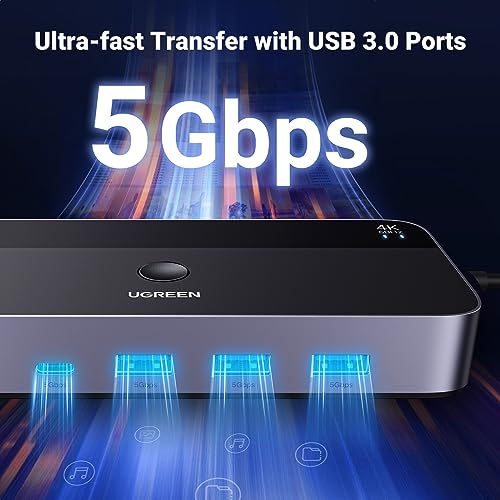
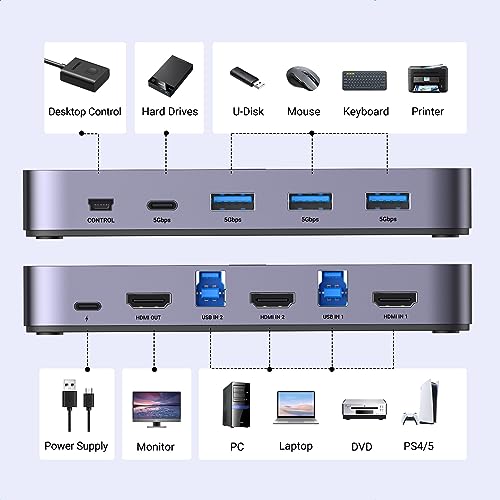
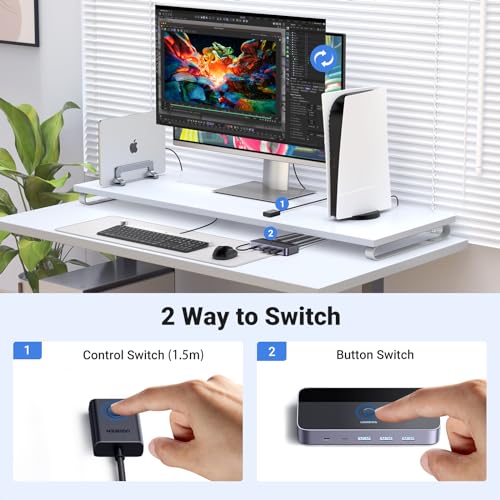
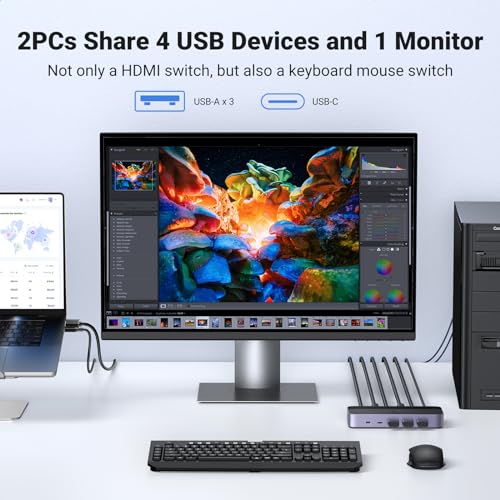
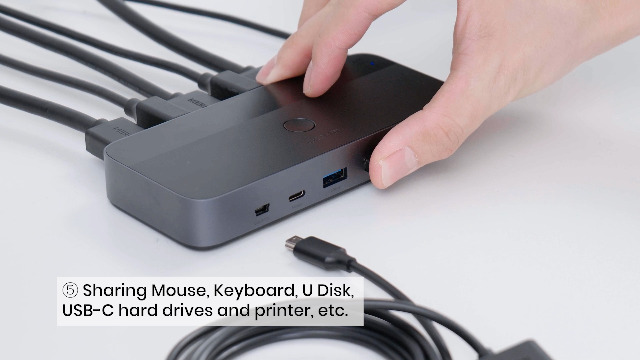
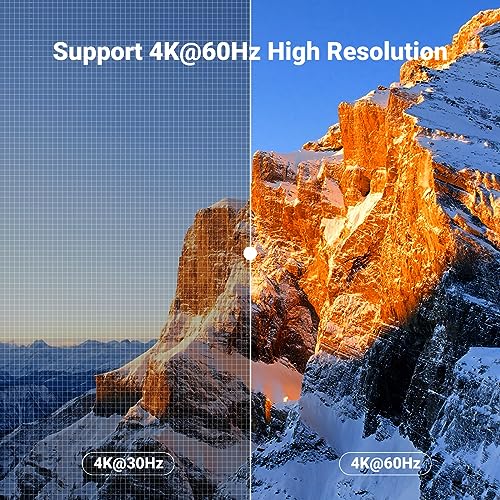
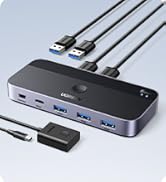
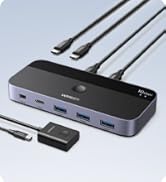
The UGREEN KVM Switch 4K@60Hz is a professional-grade device that enables two computers to share one 4K monitor and four USB 3.0 peripherals with ultra-fast 10Gbps data transfer. Featuring easy switching via remote or button, broad OS compatibility, and bundled cables, it’s designed to streamline your workspace and boost productivity with stunning visuals and reliable connectivity.








| ASIN | B0C8NFPSJV |
| Batteries Required? | No |
| Batteries included? | No |
| Best Sellers Rank | 6,492 in Computers & Accessories ( See Top 100 in Computers & Accessories ) 13 in KVM Switches |
| Colour | black |
| Customer Reviews | 4.4 4.4 out of 5 stars (860) |
| Date First Available | 20 Jun. 2023 |
| Included components | KVM Switch, USB A to B Cable, HDMI Cable, Desktop Controller, Operation Guide |
| Item Weight | 662 g |
| Item model number | 15707 |
| Manufacturer | Ugreen Group Limited |
| Part number | 15707 |
| Product Dimensions | 9.54 x 5.75 x 2.4 cm; 662 g |
| Switch Type | 2-way |
| Wattage | 30 watts |
T**T
Excellent!
Excellent. Easy to set up and works exactly as intended. Includes all the cables you need - powers by one of the USB ports so no additional power required. The indicator to show which input is active could do with being a bit clearer but other than that very neat.
M**C
Happy with this KVM switch
Does exactly what I required of it - easy to set-up and a variety of cables are included (and although I needed to buy other cables to suit my setup rather better, those included may be perfectly suitable for most users). Switching between PCs isn't instantaneous, with a delay of perhaps just three seconds or so, but thus far everything has worked as expected and I couldn't be more pleased with this KVM switch Hopefully, this will continue to be the case going forward.
A**.
Does exactly what it says on the tin
This is exactly what I was looking for. Works really well and switches flawlessly between my desktop and laptop top with a flick of a button. There is a toggle button on the top but also comes with a breakout button for convenience. Comes with all the cables to connect two computers to the screen. Only reason for 4 starts is it dosent cone with a wall adapter or a usb C cable to power it up. Having said that it's not required atleast not in my case and works fine without the need for external power. Finish is really good and connectors feel sturdy with good spacing. Definitely well worth it. Connected one keyboard and a mouse via dongle which works for both computers flawlessly.
R**N
Works flawlessly
Good product, works excellent out of the box because it comes with 2x hdmi cables and 2x usb. I use it to connect 2 computers to a 4k monitor at 60hz. The wires control button is the cherry on top and everything is easy to setup and use.
G**S
Superbly useful KVM switch.
This device has been on my desk for over 18 months, allowing me to switch from 2 different devices depending on the task I am udnertaking. Its small and discrete on my desk and took only a few minutes to install by swapping a few cables. It has great functionalty with one simple button to allow me to switch from 1 machine to another. I would highly recommend this to any power-user with limited space to get access to two machines at once.
Z**R
Fast, neat
Works with Logitech bolt which fails with many KVM. Screen switches fast, Surface laptop tends to lag when switched many times, works perfectly with other devices on 4k@60Hz, with a HUB and bolt receiver, have keyboard, mouse, drawing board, mic with headphones and webcam on. No issues. Small form factor, great reliability.
S**N
Laptop switching
It was easy to set up and does exactly what I needed it to do which was switch between two different laptops using only one mouse and keyboard thereby keeping my workspace neat and tidy of cables.
P**M
It works but it doesn't.
Been using this KVM for almost a month now and it's been a rollercoaster (not a good one). Some days it works fine, some days it causes nothing but problems. Off the bat I realised all the HDMI and USB A to B cables were quite short, the length should be fine if you have your PC, laptop and monitor on a desk, but if you use a standing desk with your PC not on the desk then the cables are way too short, I ended up having to buy a 2M Ugreen HDMI cable to ensure the compatibility was there and they would be long enough, however I could not find any official Ugreen USB A to B cables, so I had to buy a different brand. When it arrived it worked fine, but now for some reason both the Ugreen and other USB A to B cable either work intermittently or stop working altogether. I've plugged a USB C cable into the KVM from my PC for power, but I don't even know if that is helping. It's worth noting that I've been using a HDMI to USB C to connect my laptop, whilst that has caused some issues with connectivity, it usually sorts itself out after a couple disconnects and switching between my PC and laptop through the KVM. The manual provided doesn't have much info regarding troubleshooting, just 5 basic checks. I haven't tried contacting the "After-sales" they said to in the manual, however judging from other reviews it doesn't seem to be too hopeful. If you want relatively budget, easy to use and works out of the box KVM, this is NOT the KVM to buy, the only positive thing I can say about this KVM is that the build quality is nice and the button is half decent. However, if you're willing to basically do troubleshooting and diagnosis frequently, to figure out the correct configuration and you can grab this KVM discounted (as I did), it's not bad for the price.
V**L
Solves the problem of 2 laptop and one external monitor. Though pricey at 6K but does the job what it says. Connecting the cables to laptops and monitor is fairly straight forward. Switching between laptops at the press of a button does takes 2 - 3 sec but guess that is not an issue and I don't think other KVM's can offer instant switch though not tested. The OS itself will take some time to detect the external monitor when switching hence the time. Cables are of good material and looks sturdy. It is being 2 days of use only but I am happy. Why I choose KVM , I have official and personal laptop and want to keep personal stuff away from official laptop, else we mostly end up saving personal data over period of time on official laptops as we use official one more often. Also it solved issue of switching wireless keyboard and mouse every time. Now I have keyboard, mouse, Headphones ( Wired) and External camera all connected to KVM and use them with both laptops. I have connected one USB hub to the KVM USB C port and able to add more devices like external HDD , Pen drive etc. ( Camera is added here only). Hope fully this works for at least few years to have the ROI.
G**.
Easy and fast setup! Works perfect.
S**R
Monster fast great KVM worth the money Amazon comes again with great value
C**E
Excellent product. I have my Mac mini and a Minisforum mini PC hooked up to my monitor and the separate changeover button is very useful for keeping the mess of cables off my desk. It comes with a bunch of cables so I didn’t need to shop for the ones I needed. So useful, I bought two more for the rest of the family.
N**N
An excellent choice for anyone who needs to manage two systems efficiently. Its reliable performance, 4K support, and ease of use make it a valuable tool for both professional and personal setups. However, users should be prepared for minor cable clutter and limited USB functionality. Overall, it offers great value for its price.
Trustpilot
1 month ago
2 weeks ago



