Some deliveries may take a little longer than usual due to regional shipping conditions.

DOWNLOAD THE APP


Customer Services
Copyright © 2025 Desertcart Holdings Limited
DOWNLOAD THE APP
![Novation Launchkey 49 [MK4] – 49 key Semi-Weighted, USB, MIDI Keyboard Controller with DAW Integration. Chord & Scale Modes, 8 Drum Pads, & Arpeggiator — Includes Software Bundle for Music Production](https://m.media-amazon.com/images/I/61W9iEEPqdL.jpg)
🎶 Own your studio flow with the Launchkey 49 MK4 — where pro control meets instant inspiration!
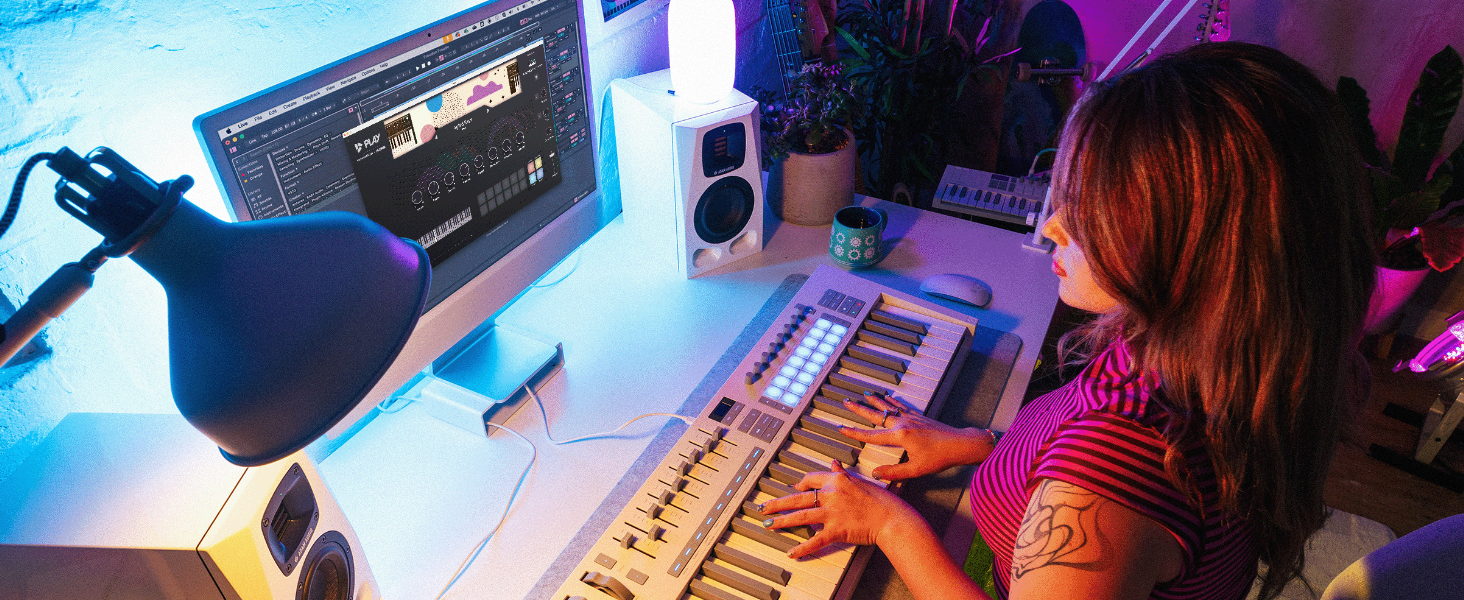
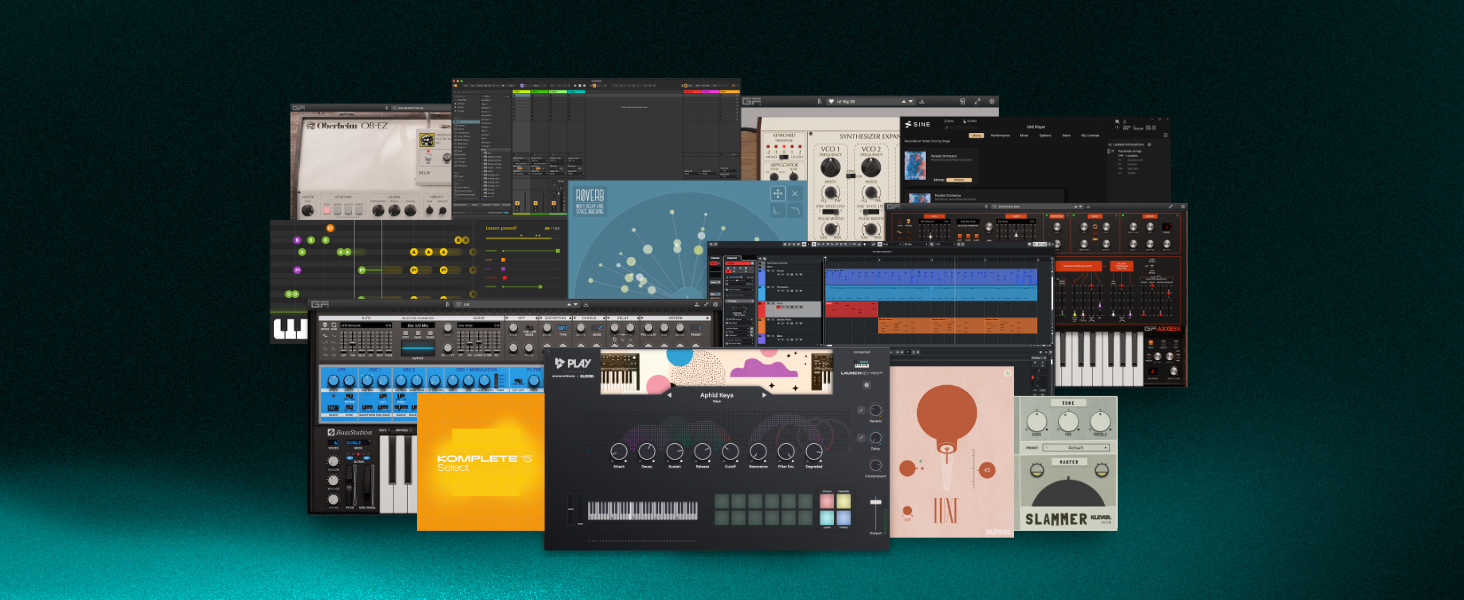
The Novation Launchkey 49 MK4 is a 49-key semi-weighted USB MIDI controller designed for professional music producers seeking seamless DAW integration and versatile control. Featuring 16 polyphonic aftertouch pads, 8 faders, and customizable knobs, it supports all major DAWs and Native Instruments software. Bundled with premium production software, it empowers users to create, mix, and perform with unmatched workflow efficiency and expressive playability.





| ASIN | B0D6YXHYCX |
| Best Sellers Rank | 371 in Musical Instruments & DJ ( See Top 100 in Musical Instruments & DJ ) 3 in MIDI Controller |
| Colour | Black |
| Compatible Devices | Laptop, Macintosh, Notebook, PC |
| Connector | USB |
| Customer Reviews | 4.5 4.5 out of 5 stars (672) |
| Date First Available | 29 Aug. 2024 |
| Hardware Interface | USB |
| Hardware Platform | PC/Mac |
| Instrument Key | Any |
| Item Weight | 4.08 kg |
| Item model number | AMS-LAUNCHKEY-49-MK4 |
| Material Type | Plastic |
| Musical Style | Electronic |
| Number of Keyboard Keys | 49 |
| Product Dimensions | 72.9 x 26.16 x 9.14 cm; 4.08 kg |
| Size | 49 Key |
| Supported Software | Ableton Live |
W**L
Review of the Novation 49 mk4 (full size)
Without a doubt THE best controller for Logic Pro. Short of Apple releasing their own controller, this is easily the most beautifully carefully thought out DAW controller I've ever used. Period. I have the 88 key Arturia Mk2. It's great for Arturia Plugins I have the 61 key Komplete Control Mk2. It's great for NI plugins I also have the Maschine Mk3. I was going to get the Kontrol Mk3, the update to my 61 key. It has Poly After Touch. But as I sat back and thought about it, I absolutely hate Komplete Control. For one reason. Old sessions will lose their patches. I have lost count of the number of sessions I've loaded up, to be presented with a blank patch because Komplete Control has been updated, and I need the old version back to reclaim my patches. I refuse to use it going forward. It's that simple. Even Native Instruments themselves have relegated it to second class citizen on their new keyboards (It's Kontact first). And yeah, great, it's got a bigger screen. Whoooh. So what. I have a 39 inch widescreen. Why do I need a screen on my keybed. What I need is the keyboard to be able to control my DAW. Not just that manufacturers plugins. Step forward Novation. On the 49 key and above, you have three different sections. * Faders * Knobs * Pads You can assign each of these independently to various functions to control your daw. It took me around an hour to memorise the on keyboard shortcuts. ** Faders ** + Your basic Mixing volume control + 7 other user defined profile for all 8 faders ** Buttons below the faders ** + Track Select (That match the colour you assign the track, BTW!!) + Arm/Select The faders are great. Granted, they're not the best I've used, but they are very very good for the price. I wasn't expecting much from them, but they are decent enough to use. ** Pads ** This is where the genius lies. You hold shift and the top row of pads to select what the knobs do. You hold shift and the bottom row of pads to select what the pads do. * Shift + 1st pad = Smart controls * In this mode, you can control the plugin via Logics Smart Controls So you have control over ANY plugin. No more NKS nonsense. So with one controller you can control Korg, NI, Arturia, U-He, basically any and all of them. Don't forget, YOU get to decide what the smart controls do, so you have better integration of plugins than both Arturia and NI combined. * Shift + 2nd Pad = Mixer * This changes the function of the knobs to mixer, in three levels. 1st Level = Volume (similar to the faders) 2nd level = Panning 3rd level = basic EQ Tell me, what other midi controller on the market allows you to use faders to mix, and knobs to change the panning. Just out of the box. That's just great. The knobs are very very decent. On par with the 750 pound NI Mk2. * Shift + Pad 3 = Sends * That's right, the knobs now control the send values. Page down for the next level of sends. You have more than two levels of sends. No problem, just press down again. I'm sure I could create a template for the KK mk2 to do this. Likewise the Arturia. But not this easy. And I certainly couldn't change on the fly with just the press of shift and a pad, like I can here. * Shift + Pad 4 - Transport * Want to change the star of your cycle, or the end position, or skip to markers. This is where it's at. I often use the cycle range to edit various parts of my tracks. Using this, I can now do so without reaching for the mouse. You even have a dedicated zoom knob. That's just great * Shift + Pad 5 onwards * These you can set yourself, or use a dedicated template from the Novation app. They have a KK template. Basically, it turns your keyboard into a Komplete Kontrol. I have lost NONE of the functionality of my MK2! Zero. Sure, I don't have the screens. But I don't sit playing hunched over my keyboard looking at screens. Not when I can look forward to the big screen right in front of me. It has templates for Serum. Or you can easily roll your own, and store up to 24 of them. Sooo much easier than the klunky Komplete Knontrol way of doing it *** Pads *** There are 16 pads, with poly after touch. Arranged in two rows of 8. They are VERY Sensitive. And work great. They feel like a smaller version of my Maschine. And beat the Arturias into a cocked hat. Using shift and the SECOND row of pads you set the pads to various modes (remember, top row of pads, sets the knobs) * Shift + 1st Pad = DAW mode * Now you can select a track using the top row of pads that are colour matched to the colours of your tracks. The second row of pads are record/arm. As an aside, I've been going back into my old sessions, and actually assigned colours to the tracks. Because it wasn't that important before. As neither the KK or the Arturia made any use of them. Apparently the update of K Mk3 is able to do so on the screen. Great. I have a screen. What I now have are easily identifiable colours directly on the keyboard itself. Yellow for drums. Blue for bass. Purple for Pads. Lime for leads. You get the drift. Now if you page down in this mode. You get solo and mutes, for the first 8 tracks. Press the next page to go to the next 8 tracks. Etc. This is AWESOME. This has saved me immense amounts of time. Yes, I know you can do it on the KK, and the Arturia, but not on the pads (the KK doesn't have any). They even match the yellow and the blue of Logic. That's just fantastic. * Shift + 2nd pad * Drums. Do you know how hard it was to route my Maschine Pads to map to Logic. And then to map back to themselves. Put it this way, I had to create TWO templates, and even know I'd have to look it up to remember all the steps on how to do this. In this mode, I can control Dummer, or ANY VST that uses the standard drum pad options that use a 4x4 grid) (The pads also match the colour of the track!) * Shift + 3rd Pad = User Chords * This allows you to create ON KEYBOARD user chords that DOES NOT REQUIRE any additional software of plugins. It's as simple as holding down a pad, and playing all the notes you want in a chord, and then letting go. If you want do delete a chord, hold down the function. You can even transpose the chords you've entered. And then you have the arp section, which is something else entirely... I've gone on long enough. Seriously, just go and watch the videos. It's soo much easier to describe the chords and the arp section with a video. But you get the idea. You can literally fly around the keyboard using the shift key and setting the pads into various modes. There's even a template where you can set the pads to keypresses. They even have a basic template. You know, E, B, V, etc. You can set your own. You can move your keyboard out of the way. You can even do combos. So you can have cut, copy, paste, right there on your keyboard. It gets saved to the keyboard memory. You can colour code them. And don't forget, it's got a little screen. Just hold shift before you change a knob or fader, and it will tell you what you're changing. ------------------ Build Quality Reasonable. For the price. It's excellent. It's not something you can take around with you. It's plastic. And around average quality. It exceeded my expectations. I purchased this because my E key on the 4th octave of my KK is starting to lose its velocity sensitivity. It's around 6 years old. It probably needs a clean. I got a 50 quid voucher from Brsk Broadband. And bought this used (like new). So I ended up getting it for around 138. ** Keybed ** It's semi weighted. Not by much. But I grew up on synth action, so it's akin to a good quality synth action. Again, the materials used lets it down ever so slightly. It's as responsive as my KK, for sure, but the quality of the materials used is a slight step down. For example, the edges of the keys are aren't as chamfered as they are on the KK. So if you press down a key, and move your finger to the edge of the key so the side of your finger is touching the next key, It's rather sharp compared to the KK. This COULD be a deal breaker depending on you play. I myself have noticed that I play to the right of each key. No fault of the keyboard, just my own bad habits.
N**Y
Great portable keyboard controller with full-size keys
I have tried many portable sized keyboards and I must say this one was the answer for me, this version of the Novation launchkey 37 has full-size keys which makes the keyboard a little bit bigger obviously than the mini key version however it really is very light and very portable and much easier to use than mini keys when you're used to full size. The keys themselves in my opinion feel really nice, they are synth action keys with velocity and really are nice and quiet and not too clunky like others. I have included a picture of the size of the keyboard to a 14 inch laptop and just a small video of it in use. This is a midi keyboard controller and not a keyboard that creates its own sounds, so you have to have a DAW and software for your sounds however this keyboard comes with plenty of software and a DAW for you to get up and running. This is in my opinion the best portable midi keyboard available with some really good features, I can't recommend it enough.
R**2
The best controller keyboard I’ve ever owned!
The Novation LaunchKey 49 MK4 in white is simply stunning; great looks and great functionality at an amazing price! I’ve used Novation gear for decades and for good reason - they don’t disappoint - you can always rely on them, which’s what I’ve done and they’ve never let me down. The keyboard feels great and is definitely a step up from the MK3. The build quality is solid and the downloadable scripts for controlling your DAW work incredibly well. I bought it for Cubase Pro and it’s easily one of the best keyboards I’ve used for it. The same goes for Logic Pro too. Simply put - buy it - you won’t be disappointed and the white and grey finish of this edition is certainly an eye catcher!
M**T
Mini keys aren’t great
All the extra controls and functionality is great, the knobs and pads feel good and sturdy. But the actual keys (25 mini keys version) aren’t great. It’s OK when you need to record some rough MIDI, but don’t expect a playable key bed. The velocity sensitivity seems inconsistent to say the least. If you need good mini keys, I can recommend Arturia and Korg products. If you’re after extras like the chord bank and Ableton clip launcher, this is fine. And the integration with Ableton works flawlessly out of the box. Shame the MIDI Out isn’t full size, but at least it’s present. I don’t want to sound too critical, I quite like this little controller. It’s well made and thought out. Your mileage may vary.
M**T
Blown away for the price
I've churned through a lot of controllers. Aside from concerns about build-quality, as a grumpy Bitwig user on Linux I was expecting problems. Whilst there are a few configuration hoops to traverse in order to get all of the automation working as expected, I got there in the end, and the experience overall with this keyboard has been (and continues to be) amazing. The 37 keys are adequate for a noodling on . Props to Novation for the mod and pitch bend wheels, which have an satisfying rubbery-feel to them. The 16 pads feel incredible to me, really sensitive, I didn't realise what I was missing; just great! Generally, the various buttons and knobs feels high quality, with the knob data increments scaling according to how fast you use them; all very sensible. Love the miniature OLED screen. Not in your face, but still conveying useful information. Novation seems to have mastered the trade-offs required to manufacture a quality instrument at a very reasonable price. I'll be looking out for an SL37 with poly-aftertouch, midi 2.0, MPE support in the future. Whatever you do though Novation, don't mess with those rubbery expression wheels, you've nailed it there :-D
S**R
The product was received in good condition and is fully functional upon testing it.
C**R
This is the smallest keyboard with usable keys, and all the features I need. I had been using a keystep, but found it lacking for fast idea input. It's not terrible, the launchkey mini is just better. It typically costs a little more so that makes sense. I was mad that a regular 3.5mm cable wasn't enough to get it working with a polyend tracker+, but that's polyend's fault for using a dumb midi standard. I needed to make an adapter chain, but I'm good now. I like being able to assign midi channels from settings. I like having the separate pads. I typically dislike mini-keys, but accept them as a compromise to get more keys. These are pretty great. I'm mostly worried about velocity. I use it a lot. This does velocity great. Feels good to use. It's just heavy enough that it doesn't feel cheap, but just light enough it doesn't feel poorly designed. Seems to work with everything I use. The price is fair. Good job Novation. The MK4 mini is a win. If you want extra credit, add a midi mode slider beside the port on the MK5.
J**Y
Great midi device, works well with Abelton, a lot to learn and as Im new to Abelton and midi controllers Im yet to delve fully into its capabilities. Quite a bit of free downloads and tones of stuff available to buy all purchased, It was initially marked as delivered with me receiving a package for another address and not this item, this was sorted out with a replacement organised to be shipped free of charge. Then the day that the replacement was organised I received the item. Great customer service, took 3-5 days to clear up the undelivered item issue and have a replacement organised free of charged.
S**R
A perfect workhorse for the modern producer. It seemlessly works together with Cubase. As a pianist/producer, I found the keys absolutely playable and it's light and travels easily.
J**K
The semi-weighted keys on the Novation Launchkey MK4 are indeed a highlight, offering a responsive and expressive playing experience that's hard to find in this price range. The fact that the knobs and pads also feel premium is just the icing on the cake. It's clear that Novation has put a lot of thought into crafting a MIDI keyboard that's not only functional but also a joy to use. At this price point, the Launchkey Mk4 is an absolute steal. The build quality and attention to detail are evident throughout, making it an excellent choice for musicians, producers, and composers on a budget
Trustpilot
4 days ago
5 days ago