


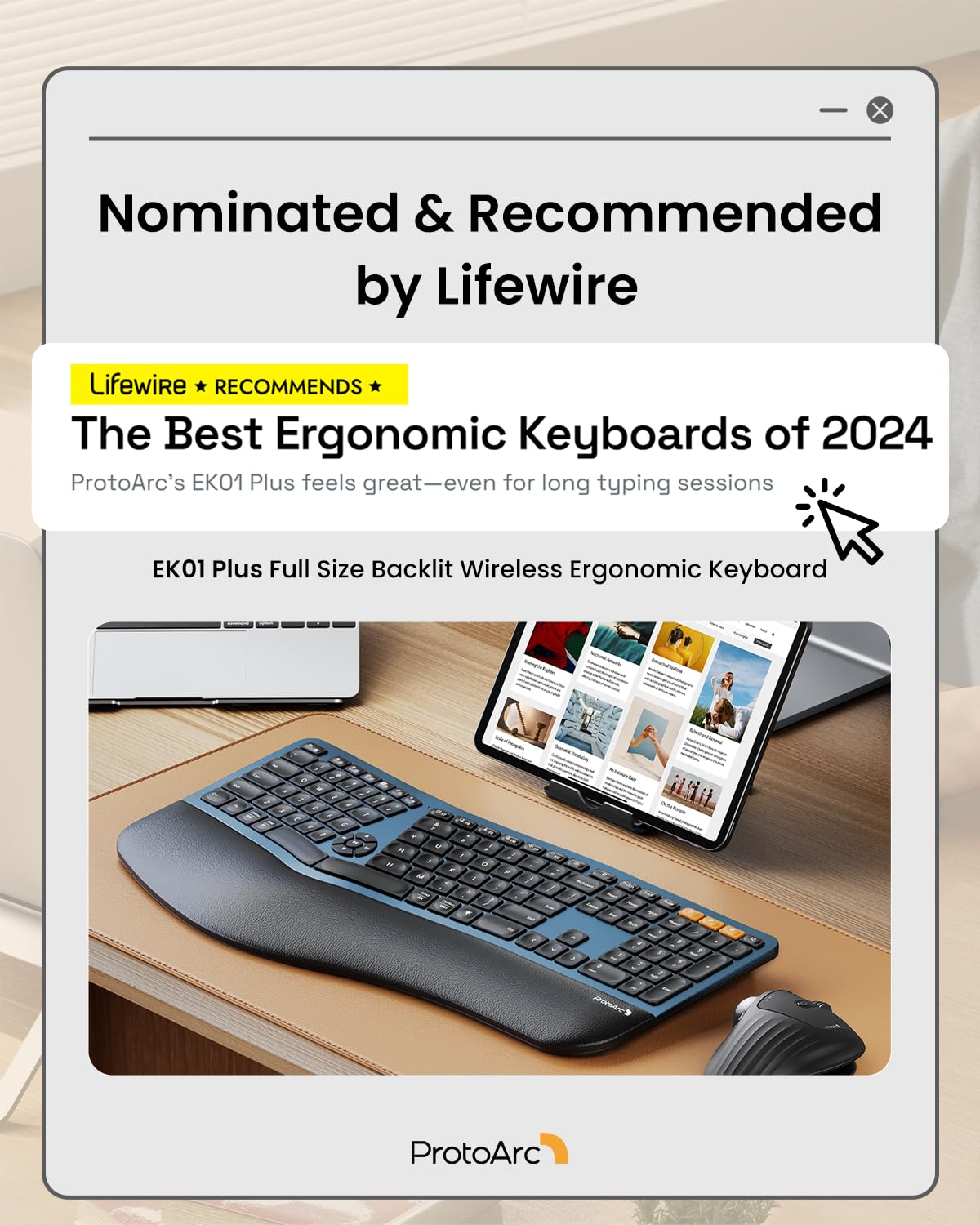

⌨️ Elevate your workspace, type smarter, and never miss a beat!
The ProtoArc EK01 Plus is a full-size, ergonomic split keyboard featuring 117 mechanical keys with scooped design for comfort. It offers dual Bluetooth and 2.4G USB connectivity for seamless multi-device switching, a cushioned wrist rest with 54% more support, and adjustable white LED backlighting with up to 100 days battery life on a single charge. Powered by a 2000mAh rechargeable battery with USB-C fast charging, it’s compatible across Windows, Mac, and Android platforms, designed to enhance productivity while reducing wrist strain.


| ASIN | B0DCVVBT3C |
| Additional Features | Backlit, Ergonomic, Full Size, Multi-Device, Rechargeable |
| Antenna Location | Business, Everyday Use, Multimedia, Personal |
| Best Sellers Rank | #19 in Computer Keyboards |
| Brand | ProtoArc |
| Built-In Media | 1 x 2.4G USB Receiver, 1 x ProtoArc Backlit Wireless Ergonomic Keyboard, 1 x Type-C Charging Cable, User Manual |
| Color | Blue |
| Compatible Devices | Laptop, PC, Tablet, Windows/Mac/Android |
| Connectivity Technology | Bluetooth |
| Customer Reviews | 4.4 out of 5 stars 1,017 Reviews |
| Enclosure Material | Plastic |
| Hand Orientation | Ambidextrous |
| Item Dimensions L x W x H | 19.69"L x 10.43"W x 1.57"H |
| Item Height | 1.57 inches |
| Keyboard Backlighting Color Support | Single Color |
| Keyboard Description | Multimedia |
| Keyboard Layout | QWERTY |
| Manufacturer | ProtoArc |
| Model Name | EK01 Plus |
| Model Number | EK01 Plus |
| Number of Batteries Required | 1 |
| Number of Keys | 117 |
| Number of Sections | 1 |
| Power Source | Battery Powered |
| Recommended Uses For Product | Business, Everyday Use, Multimedia, Personal |
| Special Feature | Backlit, Ergonomic, Full Size, Multi-Device, Rechargeable |
| Style Name | Modern |
| Switch Type | Mechanical |
| Theme | Blue |
| Unit Count | 1.0 Count |
| Warranty Description | 2 Year |
A**M
Nice feeling keys, not too heavy, shortcuts work good enough.
So, my microsoft sculpt ergonomic spacebar broke and I needed a replacement. I actually went through 2 other keyboards before landing on this one. So I'm going to compare the sculpt, Meetion, Nulea 7 color, and ProtoArc. All of them were Wifi + 2x bluetooth. I use with both. I've had the MS Sculpt for years, I like it. In that time I've needed to replace a couple key caps, but it's been good. I really like the feel of the keys and I'm used to the shortcuts. Every one of these new keyboards seems to have a different idea on what alternate shortcuts the function keys do, I wish that were standard. The biggest issue with the MS Sculpt was it was bluetooth only, so I had to pull out and old wired keyboard every time I needed to go into bios, that was a bit of a pain. But I liked the use, feel, lightness of it enough. It took 2 AA batteries that I replaced maybe 2 times a year. All the new ones recharge via USB-C, but that needs to be done maybe every 1-2 weeks? So not bad since I can plug it in to the pc that it's next to for that. All the new keyboards also have a wifi dongle so I can use them in bios. First I tried the Nulea. The feel of the keys is the same as the ProtoArc, it actually has a lot of similarities. I really like the key feel. But what absolutely destroyed and made me hate the Nulea was the missing right CTRL key, OMG that drove me insane, 100% garbage without it. They have this stupid "light" button instead, it's so worthless without the right ctrl key. On top of that, I use a lot of complicated keyboard shortcuts, and depending on the wiring of the keys, some might not work. In my case Ctrl+Shift+Win+Page Down did not work, which was problematic for me as well. So I ended up returning that. Next I tried was the Meetion. It was lighter than the others, good and thin too. It doesn't have the flat keys, but keycaps. I like good key caps, but those they were not. It felt super cheap, but the biggest deal breaker was often repeated stuck keys, at least once a day. After a few days of that I returned it. I've been using the ProtoArc for a few weeks now, and it's great. It does have that light key on the right, it adjusts brightness and honestly I don't really care about that feature and wish I could remap it. But all that matters there is that it actually has the right ctrl key. My keyboard shortcuts work, I can use it in BIOS. It's probably about an oz heavier than my original microsoft sculpt. The only part that isn't great are the volume keys, well, all the keys in that little circle of keys in the center between the halves. That's why I deducted the star, but they work, and the keyboard looks great otherwise. So I'm happy with it and hopefully will have it another 5 years at least. Edit: So, after about 6 weeks of using it, the up arrow just fell off, it looks like the part that holds half of it down was malformed during manufacturing, I suppose that can happen. But it caused me to come here and reevaluate my review, and I've actually added back that star, so it's 5/5. Reason being is, first, after using it more, the volume keys didn't bother me as much, just got used to them, and mainly, when I contacted customer service about the key issue, they were very prompt to respond and sent me a replacement right away, they said it would take 4-5 days, but somehow it arrived the next day, and it works great, so very happy with that. One thing I also forgot to mention in the original review, is that it has one of those silicon keyboard spill covers, which is a really nice feature! Specifically because you can usually only find those made on laptops. So if you want your keyboard to always be easily cleanable you can use it all the time. I did use it for a couple weeks, but it slowed down my typing a little like any other cover I tried, but I do like having it.
C**N
Love this keyboard! The backlight and responsive keys are a huge plus!
This keyboard is a delight to use. I wasn't sure if I would be happy with this type of keyboard as I am a fast touch-typist (over 100 wpm) and had read that these key types weren't that good for fast typing. But I've found exactly the opposite to be true. I'm actually typing faster now on this keyboard! The ergonomic design is perfect for maintaining a healthy posture of your wrists while typing. It's a full-size keyboard which is great as I use all of the functions and additional keys everyday. I like the quietness of the 'clickiness' of the keys. Not overly loud, just a nice responsive sound as I type. The backlighting is truly a plus! I've never had a keyboard with back lighting before and now I wonder how I ever got along with it! Especially for typing in dimly lit areas or at night. Highly recommend.
B**Y
Great keyboard; feels good on my RSI wrists
After almost 20 years, my Microsoft Natural Keyboard 4000 started to break down on me. I've had to learn to touch type because the letters have worn off over the years. I have been in development/IT/cybersecurity for many years and have carpel tunnel/RSI/whatever-its-called-these-days and a natural keyboard with a split key design is a necessity. But I'm quite picky with my keyboard and wanted to find something that would suit me. This unit fits the bill perfectly. I don't like really loud mechanical keyboards. Some people do but I do not. This keyboard has a good tactile feel to the keystrokes so that I can tell if my presses registered without me having to look at the screen, but it's not so loud that people on my zoom calls ask me to mute my microphone because of the noisy keys. Another feature I like about this one is that it is similar (not identical) to my old unit regarding the wrist rest. It is some type of faux leather with some texture to it, but is also slightly padded. Not so much that it makes it awkward, but just enough to keep it from being too firm. Very comfortable. The keys are spaced appropriately and I had no trouble adjusting to this new keyboard even though the keys are significantly different from my last one. Some of the nice features about this keyboard are that it has volume up/down controls in the center of the keyboard, along with play/back/forward keys too. There are some handy keys available for use with this unit as well, but I'm a pretty simple user. While my last keyboard was usb, this one is wireless, but I had a requirement of not wanting a bluetooth keyboard. I have a KVM switch on my desk for my home laptop and my work laptop, as well as other "mad scientist" computer experiments, and this keyboard allows me to plug in an RF USB receiver into the KVM instead of being forced to use bluetooth. It does have bluetooth and an easy to use switching system for multiple computers (separate buttons included above the numeric keypad), but because I'm sometimes installing operating systems, etc., it is a must for the keyboard to appear as a native USB HID on the target computer. This ProtoArc device works perfectly in that regard and I've had no problems with any computer I've worked on so far, and I've tried at least 7 various units. It works great with my KVM, or plugged directly into the computers. Another feature I didn't think I would care about but has been very handy on quick trips into the office when I do not turn on the overhead light is the backlighting of the keys. I thought this would be very over-rated but has turned out to be the "surprise" utility function for me. overall the feel is great, functionality is superb. I hope to be posting about a new model in about 20 years when the keys are so worn off that I can't tell what key is what anymore. I'll definitely see what ProtoArc has to offer for human input devices at that time as well...
S**C
Great ergonomics, fragile construction.
It’s really comfortable to type on, and nice and quiet. Takes a week or two to get used to the split but now I don’t want a regular keyboard ever again, much easier on my hands. I type for a living, 20-30 keyboard intensive hours per week. However, I’ve broken the same left shift key twice. First one lasted a year and a half, this one only 5 months though. Tried to repair it but the clip mechanism is quite small and fiddly, I’m not surprised they keep breaking. Kinda torn because I love typing on it, but if they keep breaking it’s not a good investment. I like the key backlight, though I wish the letters were clear so they would light up as well, better for peripheral vision key checks. It also doesn’t do super well typing at high speeds unless cable connected. Mine lives on the desk so that’s fine, but others may need the wireless function more.
M**A
Best Keyboard I've owned - just returned 2 other "top" brands
i'm writing a review. I do so when something is so exceptional it deserves one. And this is extra noteworthy because I literally just returned 2 other keyboards because i'm picky as they come. This thing is amazing. hard to describe. Here's what stands out immediately. First, the keys: they're like velvety almost. Hard to describe but I love them. I can type crazy fast with no errors, and they have the best feel. They don't feel cheap, they feel solid, with just enough lift that it's satisfying; but not so much that it is cumbersome. I have horrible back pain, I only use ergo keyboards, and this is EASILY the best i've bought. The backlight and responsiveness are top knotch. It's heavier than it looks, but not in a bad way. It feels well made but easy to move around. I put felt pads on the bottom to protect the gloss finish I built my desk with. The keyboard weighs enough where it's perfect; I can slide it easily but when i'm typing, the thing goes nowhere. I love it. The numeric keypad is the way it's supposed to be, the zero is perfectly aligned (yeah, seems weird, but they started making these things with the right arrow INSIDE the key area)! Anyways, go for it, I will now be a ProtoArc fan for life. The color is nice too but i'd use it in any color, it just looks good no matter what.
J**A
Great ergonomic keyboard.
This is my first venture into using a split keys keyboard. I have taken a different job that requires me to type a significant amount of my day. I quickly developed a repetitive motion problem with my left picky from using the shift and CTRL keys to capitalize and copy paste. Using an ergonomic keyboard has changed the location of those keys so I didn't have to strain that finger to type. Additionally, the new position of my hands makes typing a good part of the day much easier on my hands and body. What makes this ergonomic keyboard stand out? The keys near the center remain near standard size. The space in the middle is allowed to naturally be there. The rest of the keyboard layout is similar to all the other 101 key keyboards so you do not have to adapt to a different key placement of special function keys. The media controls are in the space between the keys. I didn't have much of an opinion either way until I started using them to control the volume on the podcasts I listen to. The placement keeps me from having to find the correct controls on the function keys, It is back lit. I am not a trained touch typist and find myself looking at the keys fairly often to reset my fingers on the keys. It is rechargeable. I charge it at the end of the week and have not had a problem with it dying during my work week. If it did all you need to do is connect it to a USB C charging cable and it gets a full charge in about the same time as it does tour cell phone. You can use it while it is charging. The feel is great the keys have a good resistance and a comfortable travel distance when you push them. You might even find yourself pressing a little less. Maybe the most surprising thing is the heft of the unit itself. It weighs a significant amount. Much more than my Logitech I replaced it with. The advantage of this is it stays in place on my desk . I don't feel it sliding as I type. This is a problem, as I do have a lot of hand movement when I type, and I do not find myself having to reposition the keyboard before homing my fingers. When you type it feels solid on every key press. It has the ability to connect to multiple Bluetooth devices and still use the receiver provided to communicate with another without having to do anything beside pick the device on the orange keys. The wrist rest is padded and is something I didn't have on any other keyboard before this one. It definitely adds to the overall comfort of the unit.
S**I
Beautiful & Highly Recommended
Beautiful & Highly Recommended So far I love this keyboard. It came packaged very nicely, very secure and included a quick start guide, a instruction manual, a lovely thank you card, the wire to charge it and a silicone cover. It was incredibly easy to connect to my pc both with the USB receiver and Bluetooth. The typing is very smooth and quiet, no sticking keys at all. I love the brightness of the backlight and how it has 3 settings. If you are not used to a split key ergonomic keyboard, it will be a little difficult at first and feel awkward, but you will adjust. They are also larger than traditional keyboards, so make sure you measure and account for that. Overall, I love it, it was purchased when it was on lightning deal so I got a great price for a quality keyboard. The only thing I wasn't totally thrilled with was the height when tilted, but my keyboard I am replacing was a little higher than normal. It isn't an issue that would keep me from buying it again. I have seen others that only have tilt legs that elevate the wrist rest; those were promptly returned.
A**R
Excellent Keyboard!!!!
UPDATED REVIEW: 5/19/25 - I've had this keyboard for a month now and I am so pleased with it. I functions perfectly, love the way the keys sound (not too loud but people know my fingers are flying), the backlighting is so nice in a darker office, which is how I prefer it. I hate fluorescent lighting so never turn the overhead lights on. I have naturally long nails that I spend a nice coin on to keep looking professionally manicured and the keys on this keyboard seem to be customized for just that purpose - long or short fingernails, your fingers won't slip off the keys. I think that's probably really important for some of the ladies reading these reviews. I've owned and used a myriad of wireless keyboards. This one tops them all. I will only ever buy and use ProtoArc. And no, this is not a paid ad. This is a genuine review. I paid for my keyboard myself. First and foremost, I’m a keyboard snob. Truly. I’ve been a paralegal for nearly 20 years and spend my whole day in front of a computer. Prior to that I worked in medical billing again spending my whole day on a computer. You could say I’ve spent my career typing. As such, I am VERY particular when it comes to keyboards. When I find one I really like, I hold onto to it until its demise. By then, that model has usually been replaced by something else. I was reluctant to try this keyboard. I’ve hesitated buying anything new for more than a year eking out the last bit of life from my old one. I’ve read many, many reviews about many, many ergonomic keyboards. I originally purchased an ergonomic Lenovo Go but you had to buy the number pad separately and it just was a hassle to not have an integrated number pad. The keyboard itself was nice but had its quirks. I found myself searching again and coming back to this keyboard. After reading reviews from people who didn’t receive the item in exchange for their review, I felt confident that I should at least give it a go. I am glad I did. This is just my initial assessment but the keys are smooth strokes, the ergonomic alignment is perfection, and the leather wrist pad allows for smooth transition while moving across the board while typing. This keyboard has the feel of a super high end piece of technology. If you are hesitant I understand your reluctance. But I would highly suggest you try it out. Worst thing that happens is you return it. Good luck and best wishes for your keyboard search!
Trustpilot
3 weeks ago
3 days ago



