
DOWNLOAD THE APP


Customer Services
Copyright © 2025 Desertcart Holdings Limited
DOWNLOAD THE APP


❄️ Stay cool, stay ahead — the ultimate smart cooling powerhouse for pros who demand peak performance.
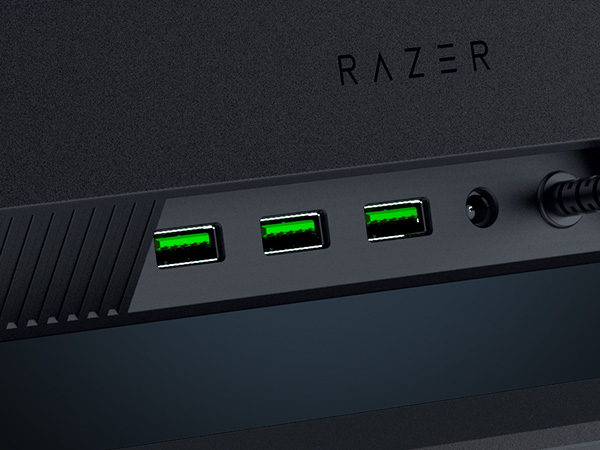
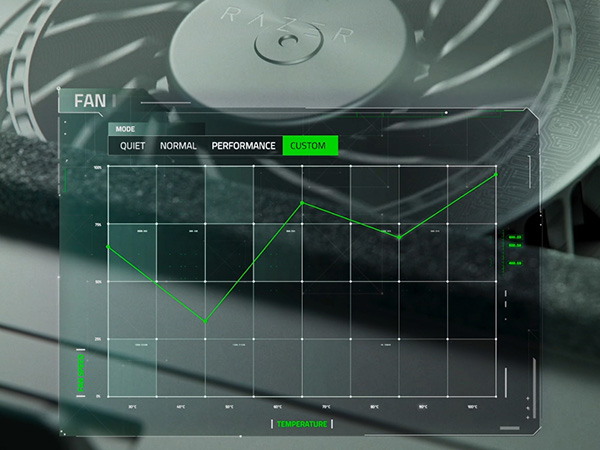
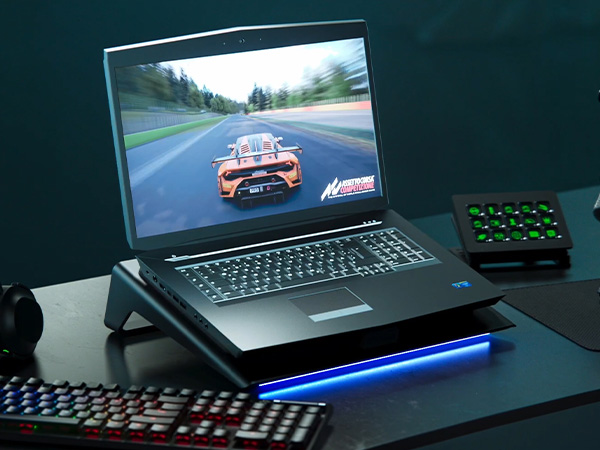
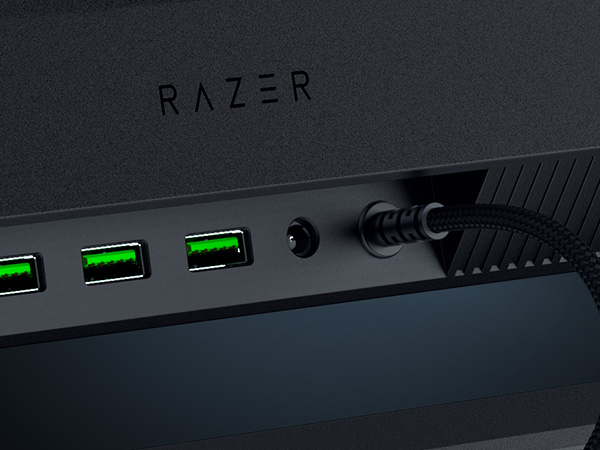
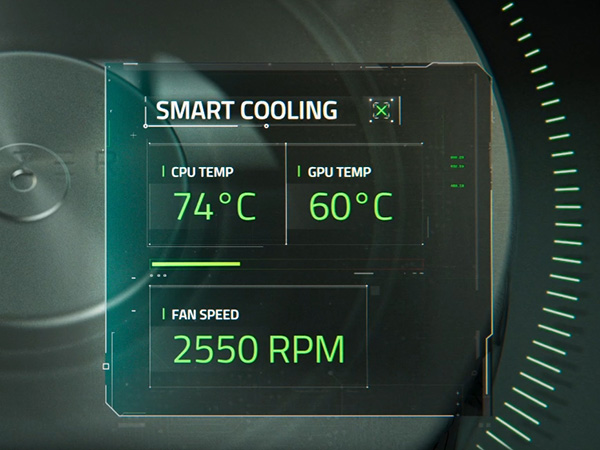
The Razer Laptop Cooling Pad is a premium cooling solution featuring a 3000 RPM brushless fan housed in an airtight pressure chamber to maximize thermal efficiency. It supports laptops from 14" to 18" with adjustable magnetic frames, offers preset and customizable fan curves via Razer Synapse, and includes a 3-port USB Type-A hub for expanded connectivity. With Chroma RGB lighting and remappable multi-function buttons, it blends high performance with sleek, customizable aesthetics, backed by a 2-year warranty.










| ASIN | B0DJDWWHTV |
| Best Sellers Rank | #468 in Computers & Accessories ( See Top 100 in Computers & Accessories ) #9 in Laptop Cooling Pads |
| Brand | Razer |
| Built-In Media | User manual |
| Color | Black |
| Cooling Method | Air |
| Customer Reviews | 4.3 out of 5 stars 387 Reviews |
| Enclosure Material | Plastic |
| Item Weight | 2.61 Kilograms |
| Manufacturer | Razer |
| Material | Plastic |
| UPC | 840272914793 |
| Warranty Description | 2 Year Manufacturer |
A**S
Cooling Beast
Before I purchased this cooling pad I had a cheap Chinese pad with four fans and zero software. I ran the Chinese pad on max all the time but it barely made a difference. There was nothing in the way of dust filtration in the Chinese pad. Razer has outdone themselves concerning the design of this cooling pad. The plastic is very sturdy and the stand is at a perfect angle. This cooling pad also doubles as a USB-A hub, with appropriate space for cables underneath the pad. The foam serves to insulate the underside of a laptop from dust, and there is dust filtration on the fan as well. While gaming this cooling pad offers significant performance gains. The fan will easily go up to full speed and generate a substantial amount of noise. I can hear this noise occasionally through headphones but it doesn't bother me too much. The game soundtrack should cover up the fan noise as well. The software allows you to see temps, manually set the fan speed, set the fan to adaptive mode, and control the LED bar on the bottom of the pad. I use the fan on adaptive mode since it usually runs slowly enough that I cannot hear it or I have tuned it out. I have the LED set to Razer green, but you can easily turn it off. You can also use a plethora of LED modes like "breathe" or "rainbow". Overall the cooling pad is worth the cost. Razer may have added a little "brand tax" but this cooling pad is reliably performant. There are cheaper cooling pads from China that serve the same purpose, but they do not usually offer the gains this pad delivers. The build quality is also lacking in many of the cheaper options.
B**M
Does this justify the price when you can get something way cheaper?
I have a cheaper, generic laptop cooler that works very well and cost $120 cheaper. Lots of fans and you can run it at low speed. It works..... But there was no way to turn the rgb lights off. I am not at a dance club.... I am trying to focus on being productive. That is what led me to the razer version of a laptop cooler. 1. It's solid. I love how well it is built. 2. Good seal to pull out hot air. It works amazingly well. I only need to run it on speed 1 of 3. 3. Speeds 2 and 3 are loud and very loud. If music is playing it's no concern. Guess it's good to have it if you need it. 4. I keep the leds either off or razer green. 5. I have the new razer blade 18 2025 with 5080. It keeps it very cool (gpu) when rendering. I think it gets up to 44°C once but that was rendered so fast I didn't really get to test it out. Verdict : if you need something to cool your system, this will do it very well. It's expensive. But it works well and the design is better than others I have used.
J**W
High-performance Laptop Cooler at a High Price
I bought the Razer Laptop Cooling Pad to replace an aged-and-dying Enermax cooler (single 8-inch fan) that could no longer effectively cool my Origin PC EON16-X laptop (16", Intel i9 14900HX, NVIDIA RTX 4090). Setup was very simple for me. The laptop fits well on the pre-installed frame. I already use Razer Chroma and Razer Synapse for my Basilisk mouse, and I didn't have to do anything to get the softwares to detect and manage the laptop cooler. I leave the fan set on the lowest speed, allowing the software the adjust the fan speed based on system temps. Pros: - First, it's a great cooler. System temps are around 10ºC lower under load than using my older cooler. - Simple set-up process, especially if you already use Razer peripherals and their associated software. - 3 included frames to accommodate laptops of different sizes and vent placements. Frames are very easy to change since they use magnets: simply pull one off and stick on another to fit your laptop. - 3 powered USB-A ports on the back. - Cleanable air filter helps keep your laptop innards from getting quite as dirty. - As with all new peripherals these days, there are lights. You can press a button to cycle through some preset options, or use Razer Chroma to set your preferred color(s) and effect. Cons: - The fan can be absurdly loud. For those of us who game without headphones, it's a major distraction to have the fan on higher speed settings. Medium speed is annoying but tolerable, and High speed is around the noise level of a loud vacuum cleaner in the next room. - The cooler has a plastic frame. At this price, it probably could be aluminum. Still, the plastic is strong and sturdy and I have no doubts it will hold up in function and form. - The price is significantly more than other high-performance coolers, but they don't have the Razer name included. - The power cord is about 5 feet long, and the brick (wallwart) is rather large. My desk's power strip couldn't fit it, so I had to run it to the wall, which is a stretch. Playing high-resource games would generally have my system getting very hot, into the dangerous nearly-100ºC range. Below are temps measured by GPU-Z and Core Temp, with the cooler running variable fan speed managed by Synapse. GPU: RTX 4090 - Idle temp ~38ºC - Load temp ~69-70ºC at 98% load, 76ºC Hot Spot, 88ºC Memory Temp CPU: i9 14900HX - Idle temps vary from 35-44ºC depending on core - Load temps 70-83ºC, spiking at 75-97ºC depending on core
F**K
Works exactly as it should
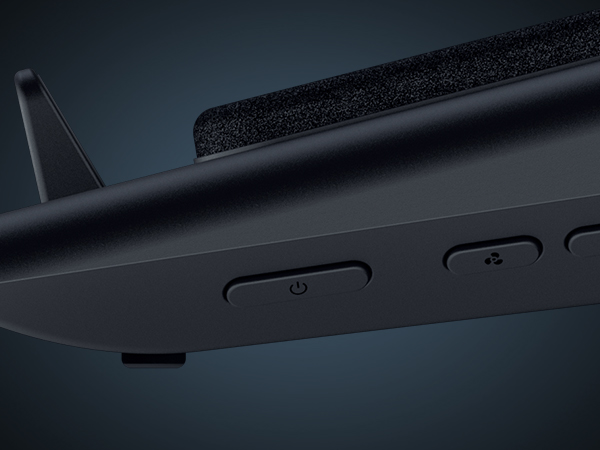
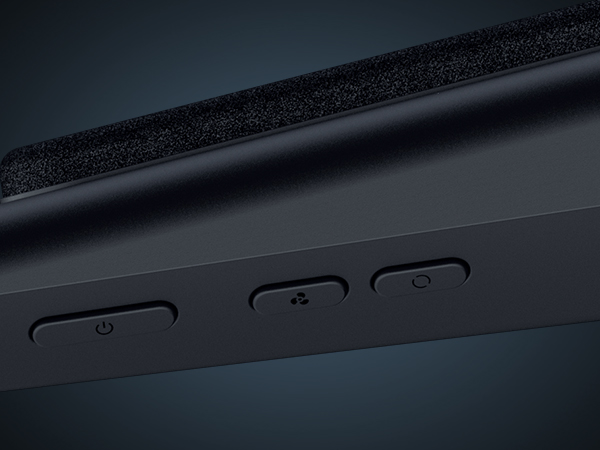
I got this Razer laptop cooling pad for my 18" Acer Predator Helios. I will say it isn't a perfect fit. However, it does work and keep my laptop cooler. Setup was quick and easy, and that included a firmware update. Just follow the on-screen instructions and reboot. 6 month update: this cooler has worked great. I cleaned the filter and its been keeping my laptop cooler clean. Software works great and controls are too. Overall happy. Only con is I think its overpriced but my main reason was keep all my peripherals Razer since all of them have been flawless. Leds are only on the front. It would have been cool to see more Leds around the side, but that doesn't negativity affect anything. I did need to update my Synapse 3 to Synapse 4. I believe the main reason is they separated Chroma from Synapse. My auto fan works great, and the profiles for low/med/high are adjustable. I made two small tweaks to the low and medium profiles just to make it dead silent when no load is on gpu/cpu. You can control the fans and lights via the buttons on the side of the cooler, or within the software. The software also gives you a basic look or an advance look for fan profiles. It's pretty cool. I play DayZ and with my Nvidia monitor I went from roughly 80*C @ 100% load to about 68-72*C and around 60-80% load. Based on that pretty sure I was getting thermally throttled. FPS is better also. I use a Razer Tartarus V2 because the height of the laptop keyboard is higher and for me is less comfortable while gaming. The Tartarus pairs up nice. There is an intake fan dust cover, so hopefully that does a good job as my house with multiple kids and animals gets pretty dusty. Currently very happy. It works just as advertised. And I'm happy with it not fitting 100% so it may work better for you and get even better results with temperature. Again, I'm using an Acer laptop, not a Razer so it's my own fault but it does work with non-Razer laptops. The cooler does have its own AC power adaptor which powers the cooler. There are also 3 usb ports on the rear, and they're setup for my Tartarus V2, JBL Quantum One headset and my charging cable for my Balilisk V3 Pro mouse. The pass thru works great, and I have no performance or audio issues.
C**R
Not a great value but still a pretty good product.
It is pretty cool that my Razer laptop recognizes this cooling pad and unlocks a higher level of performance because it knows that it has additional cooling capacity. The Razer Synapse app is hit or miss depending on your system up-time but the extra USB ports, Razer Chroma compatibility, and the factory approved overclocking are a definite perk. With all that being said, I don't know that it is worth the money. You can find quieter cooling pads that move more air and still have the USB hub built-in for almost 75% less but you lose out on the Razer Synapse settings control, Chroma compatibility, and factory overclock option. It really all depends on your priorities and preferences. If you are focused on value and functionality, look elsewhere. If you like to have matching peripherals that you can control from the same program/ecosystem and want to add to your sticker green sticker collection, then this is what you want.
A**R
This thing blows! (Edited for recent firmware issues)
EDIT: TLDR: Reinstall Synapse & Chroma to fix the fan curve!!! So Razer put out a firmware update recently which broke the Smart Fan Curve feature of the cooling pad (mine included). I was going to come stomping in here to change my review to 1 star with a warning not to buy before it was fixed until I found some advice that suggested removing then reinstalling Synapse and Chroma. IT'S FIXED!!! I just tried it, the Smart Fan Curve is back and it's reading CPU + GPU temps again. Here's what I did: I un-installed Synapse & Chroma then restarted my laptop and completely unplugged the Cooling Pad. Once my laptop started I plugged the Cooling Pad back in and did a fresh install of Synapse 4 & Chroma, then restarted my laptop one more time. As far as I can tell everything works as it should! I have an old HP OmenX 18" laptop with an i7 7820HK (overclocked to 4.1ghz on all cores & -0.085 undervolt) plus a gtx 1080 mobile graphics card and this cooling pad helped breathe some new life in to my aging computer. This pad works great if you can deal with the noise, I can easily get a ~15⁰c drop in temps at 100% fan speed. Games that would cause thermal throttling at ~98⁰c will run happily around 70-75⁰ instead. The adaptive fan control is a gamechanger and I have mine set to hit 100% by 70⁰c while running nearly silent (under 25%) at idle or when streaming shows. At higher speed the fan in this cooling pad will force air out of every port and joint in your laptop. I can feel air coming out of my usb ports and even around the trackpad. I can't overstate how loud this fan is at 3000rpm though. It is much louder than my old custom-made usb powered cooling pad with two 140mm noctua iPPC 2000 fans, but the Razer Pad is much more efficient too thanks to its chambered design. I really like the integration with Razer Synapse & Chroma, and let's be honest you're paying a premium for that in this product. Between that and the adaptive fan curve the $150 price isn't too crazy especially if you're already invested in other Razer peripherals. I would have liked a bit more metal and less plastic for such a premium design though. Unfortunately the cooling pad runs off wall power and still uses a USB connection to communicate with your laptop, although it does act as a hub with 3 extra usb ports too. I think it would be a great development to run the whole thing off 1 high-power USB-C connection to make it less bulky and more portable, or really go all out and make one that runs off thunderbolt and doubles as a workstation dock... Maybe for the next version!
L**R
Zephyrus G16 users look no further
The perfect cooler for a Zephyrus G16, keeps it nice and cool. The 3 USB ports on the back are nice. Overall worth the money for a product that feels and looks premium while also functioning great. 10/10
A**.
Top price, mediocre quality
Not worth the $150, not even half of that! Less than three months after purchase fan is now rattling! EDIT: Changed from 1 to 2 stars because the Razer app keeps crashing and randomly decides not to recognize the pad. Customer support told me do a clean install, which solved nothing, and that Razer's warranty doesn't cover my country. DO NOT BUY THIS IF YOU'RE OVERSEAS. Crappy plastic construction, a very flimsy and poorly designed rear support beam, and a power cord so short you may as well have bought a gaming desktop in the first place. It's a stupid product that makes no sense for using your gaming laptop on your lap (crazy idea, right?) for a comfortable gaming session anywhere other than your desk. Build quality is pathetic for something that costs $50 more than the competition: you're paying top dollar for something that feels cheap, like it could snap any second, and you'll be stuck with an expensive broken lump of plastic. Sadly I made the mistake of buying this cheap piece of plastic from outside the US so now I'm hoping Amazon doesn't charge me too much for the shipping so I can get a refund. Razer is pure hype and no substance, I guess it's my fault for believing the reviews I read. Buy something else: other laptop pads offer similar fans for $50 less and you have enough money left for a AAA game.
Trustpilot
1 month ago
2 days ago