We remain fully operational. Our teams are working around the clock to ensure your deliveries continue safely.

DOWNLOAD THE APP


Customer Services
Copyright © 2025 Desertcart Holdings Limited
DOWNLOAD THE APP


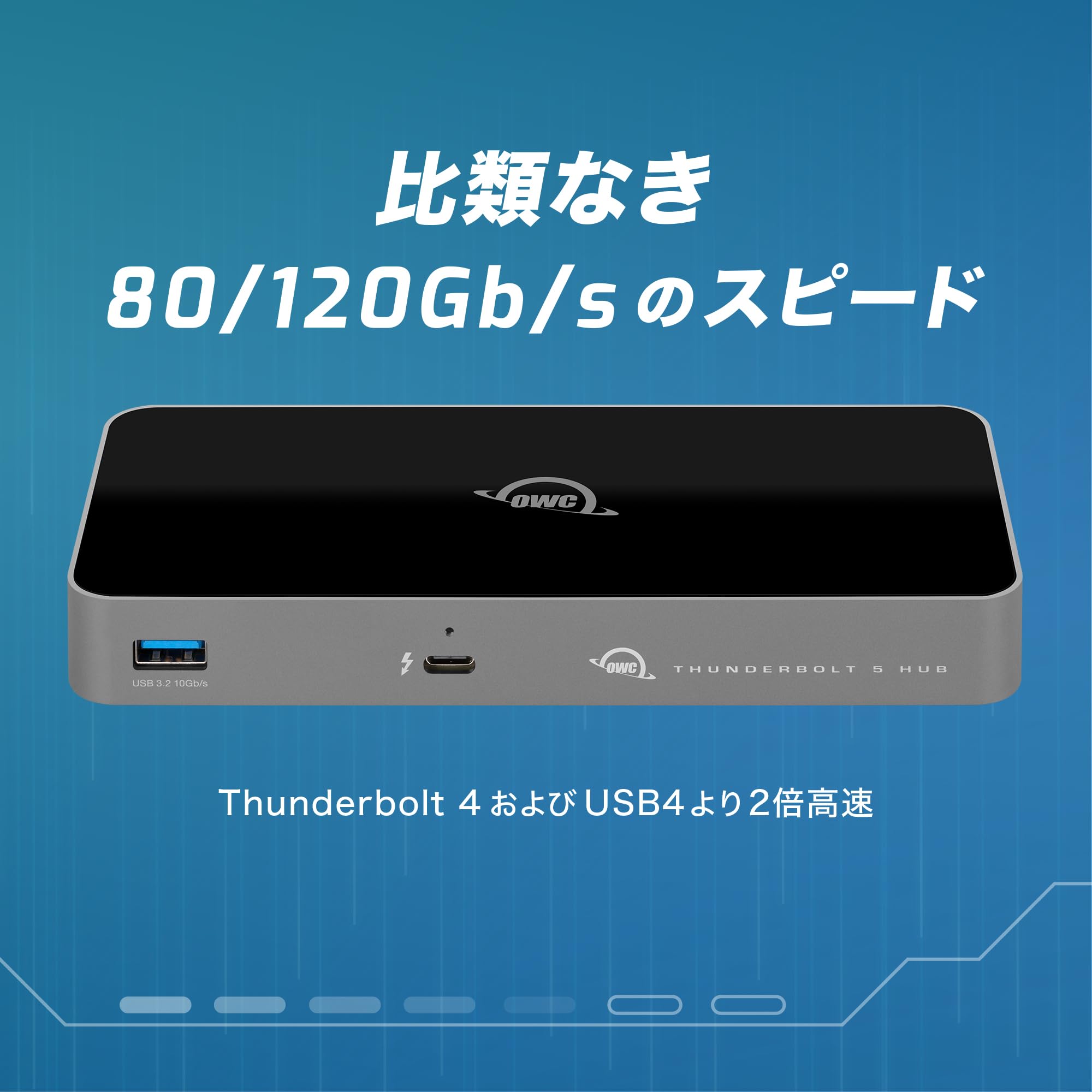

⚡ Unlock the power of tomorrow’s speed, today.
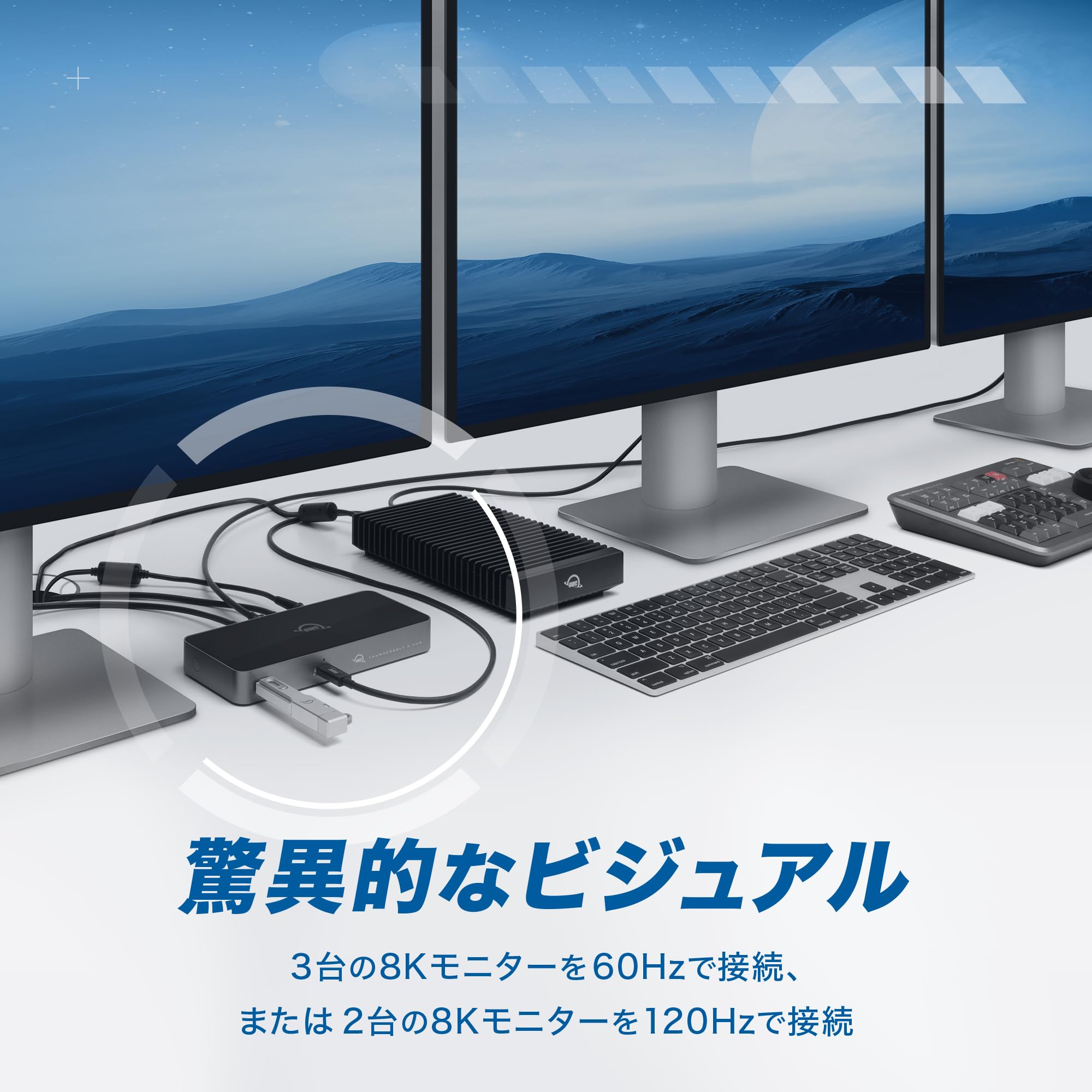
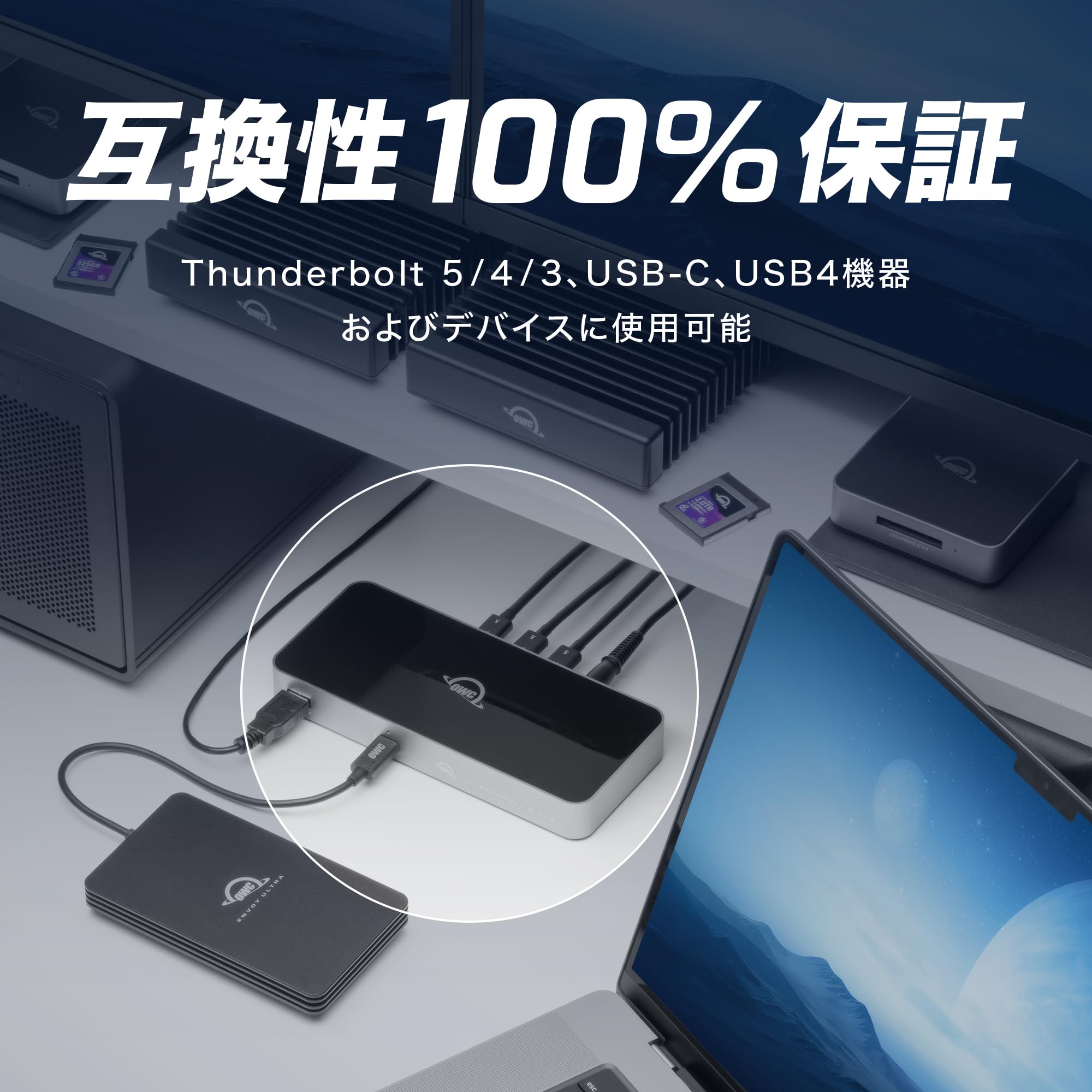
The OWC Thunderbolt 5 Hub expands your Mac, PC, or iPad Pro connectivity with three Thunderbolt 5 ports and one USB-A port, delivering up to 80Gbps bidirectional data transfer and up to 120Gbps display bandwidth. It supports independent daisy chaining of three device chains, ensuring seamless device management without interruptions. Compatible with Thunderbolt 3, 4, USB4, and USB-C devices, this hub is a future-proof, sleekly designed accessory that enhances productivity and visual performance for professionals.


| ASIN | B0DPKL911T |
| Amazon Bestseller | #16,949 in Computers ( See Top 100 in Computers ) #338 in USB Hubs |
| Batteries Included | No |
| Batteries Required | No |
| Brand | OWC |
| Color Name | Chassis: Space Gray / Cover: Black |
| Compatible Devices | Laptops |
| Customer Reviews | 4.1 4.1 out of 5 stars (916) |
| Date First Available | December 4, 2024 |
| Item Model Number | OWCTB5HUB5P |
| Item Weight | 382 Grams |
| Item model number | OWCTB5HUB5P |
| Manufacturer | Other World Computing |
| Material | Chassis: Aluminum Cover: Polycarbonate |
| Operating System | macOS, Windows |
| Product Dimensions | 17.78 x 7.87 x 2.29 cm; 382 g |
| Special Features | Fast Data Transfer |
| Total Usb Ports | 5 |
K**U
ブラックフライデーで購入。 thunderbolt 5ドックとしては最安級で購入できて満足しています。 thunderbolt 5の性能は生かしきれていませんが、将来の投資として購入しました。 モニター2台と2.5G有線LAN、会議用スピーカーを繋げてますが、PCにコード1本繋ぐだけで認識してくれるので重宝しています。 たまにモニターが認識しなかったりしますが、刺し直せば認識してくれるので問題ありません。 発熱もほとんど気になりません。 おすすめです。
S**S
Thunderbolt5でSSD3台繫いで使ってます。 書き込みが少しだけ遅い。 読み込みは早いです。 使って支障なしのレベル。
I**ー
Thunderboltハブとして母艦に使用するのであれば、機能としては十分、コスパ良し(21500程で購入)。仮にノートPCと持ち出すとしたら本体もACアダプタも重い。コンセントは3ピンプラグでアダプタは付いていなかった。3ピンプラグ対応のUPSや電源タップがあれば問題無し。当方では、Intel iMac2017 OS12.7にて、OWC Express 4M2などをぶら下げて使用中。Thunderboltで40Gb/s、USB4.0で40Gb/s、USB3Gen2で10Gb/sと表示されてます※実際の速度は外付けSSDケースなどが足を引っ張っている感はありますが・・。IntelMacとの相性は良いと思います。
ラ**人
ドック、Type-cモニタ2台をここに繋げてノートパソコンに一本のケーブルで繋げるようにできました⭕️
ま**ま
購入してから2ヶ月程が経過しました、使用方法としてはほぼ毎日4時間程度使っています。 まず充電状態を表示するロゴ部分の点灯が表示したりしなかったりしている状態です。 また3本タイプCを差し込める側のポートの右側1つ目がどのケーブルを使用しても使用不可になりました(他のポートでは同一のケーブルで通信が可能である事を確認しています) 長期間使ってこれなら文句はないのですが流石に2ヶ月でこれは製品の品質に疑いがあります、品質にばらつきがあるのかと思いますがあまり購入はお勧めできません。
K**A
MacBook Pro m4を使っていて、サンダーボルト5が使える環境にしたかったので大満足です。
レ**ー
普通のUSB-Cハブで沢山のストレージを繋いでいてMacが不安定になっていましたが こちらの物に変更して安定しました。 ターミナルで確認してもUSB関連のエラーが全く無くなって安定しています。
な**し
「これまでにないフルスピード、フル機能のThunderboltポートを...に追加できます。」の文言が サイトに載ってたので「フルスピード」ってもしやハブのポートに接続した場合でもMAC本体に 直接接続した場合と同等の速度が出るとの意味か?と興味を引かれ、さらに値引きもあり購入しま した。 流石にそんな訳はなく、他のいわゆる5ポートハブと同じくそれなりにスピードは落ち、RAID0で それなりに復活というものでした。 スピードはハブ経由単体、RAID0と以前お安いハブ(現在売り切れ中)をレビューしたときと同じ やり方で見てみましたが、ハブによる速度の明らかな相違は見られませんでした。おそらく他の 種類のハブも同様ではないのかな、との想像です。ハブで速度は変わらず、ケースの性能で決まる のだと思えました。このハブはおそらくサイトで謳っている他の付加価値で買うかどうか決めるべき ものでしょう。デジーチェーンとか1系統が切断された時の挙動とか。もちろんお値段がこなれて きているのでそれも判断基準になるでしょう。皆さんTB5に注目されてるからでしょうね。 文字だけだと寂しいので速度測定結果も付けておきます。 3-*:お安いケース、4-*:それなりの価格のケース、*-A:MAC直接接続、*-B:本ハブ経由単体、 *-C:2枚でmacOS機能でRAID0、です。高価なケースでは単体直接接続が最速でした。ですが 大きく変わらないのでMAC本体のポートの節約には役立つでしょう。
Q**R
I have had one of these for a year and another one purchased a week ago. Both have worked perfectly. In both cases, I used these more as docks and chargers than anything. If it works in your use case as a dock, it’s half the price to get those functions covered as the thunderbolt docks made by various companies (including OWC). USE CASE ONE: At one of my offices, I do not keep a computer but bring in either my MacBook Air M1 or my Dell XPS13. Both computers are great. At my desk, I have a 27 inch Dell 4k monitor, a stand for a laptop to the side (to also serve as second monitor), and this OWC Thunderbolt Doc. I take out which laptop I want to use for that day (one is better than other for certain things and vice versa). I plug it into this Thunderbolt Hub by one connection (the Thunderbolt 4 cable that comes with the OWC Hub). That one plug in charges laptop and connects it, of course, to all the things the hub is connected two. Those are: - TB out 1: connected to 27 4k monitor (works wonderfully), using Thunderbolt cable to display port input on monitor. I always get great resents going T4 to DP. - TB out 2: connect one of the other Thunderbolt ports (USB-C format) to a 10 outlet USB-A USB 3.1 hub. Into that I have plugged in connections to audio speakers, printer, Bluetooth dongle for mouse and MC Logitech Keyboard (fabulous keyboard), and my circle light for zoom calls, and my Logitech 922c 1080p camera. - TB out 3: connects to a TB3 cable that I use to connect external SSDs when I need one connected. I use the front facing USB-A port to connect flash drives or other temporary peripherals. This all works flawlessly, and has so for a year. Again, I open laptop, plug in one cable, and my computer is connected to, and driving, everything, and I’m ready to work with full monitor, keyboard, mouse, and other accessories. And, it’s worked every time. My TB Hub has not had the problem with the cables coming out to easily that some have commented on and I believe has fixed. This is all working so well and it’s a lot less money than a Thunderbolt Doc. But if you need the dock, I bet OWC’s i is a good one. Of course, Caldigjt makes a nice one. USE CASE TWO: In this case, I’m asking less of the hub. I use it to plug the same Dell XPS 13 noted above in at my other office. That changes computer and also connected by Thunderbolt cable to another Dell monitor which is 24 in 4k. Again, TB cable to display port in on the monitor. I have a receiver for a wireless mouse I like a lot plugged into one of the rear farting other TB ports on a dongle. Yeah, doesn’t need the bandwidth but does just what I need. That leavers a USB-C TB port out for connected an external SSD and an option USB-A port on front for whatever flash drive or other need some up. Again, I pull out my DellXPS13 and plug in one cable and it’s powered, charging, and connected to a 4k monitor and other things I use. These are great devices. They have worked well, no brainer type working well, every time. Very pleased with these devices..
A**O
Quizá tuve mala suerte y me toco uno defectuoso. El Hub tenia bajas de voltaje. Desconectaba los periféricos. Probémo con SSD externos, HD externos, monitores y otro tipo de periféricos Thunderbolt como USB-C. después de una o dos horas funcionando, tenia bajadas de voltaje y me desconectaba alguno de los puertos. Lamentablemente una mala experiencia.
L**A
It was an amazing addition to my work-from-home setup, especially due to the addition of a MacBook Pro M4 Pro. I strongly recommend it. It works flawlessly.
J**N
funciona perfectamente, tengo dos studio displays a 5K y un caldigit TS4 conectado al hub y el hub conectado a un MB pro M4. No tengo desconexiones ni ningun fallo. Plug and Play
J**H
If you’re heavy user or professional and you’re searching thunderbolt4 hub for m1 or m2 macbooks then this is for you
Trustpilot
2 months ago
3 days ago