Some deliveries may take a little longer than usual due to regional shipping conditions.

DOWNLOAD THE APP


Customer Services
Copyright © 2025 Desertcart Holdings Limited
DOWNLOAD THE APP


✏️ Elevate your iPad game with precision and style—don’t just take notes, make your mark!
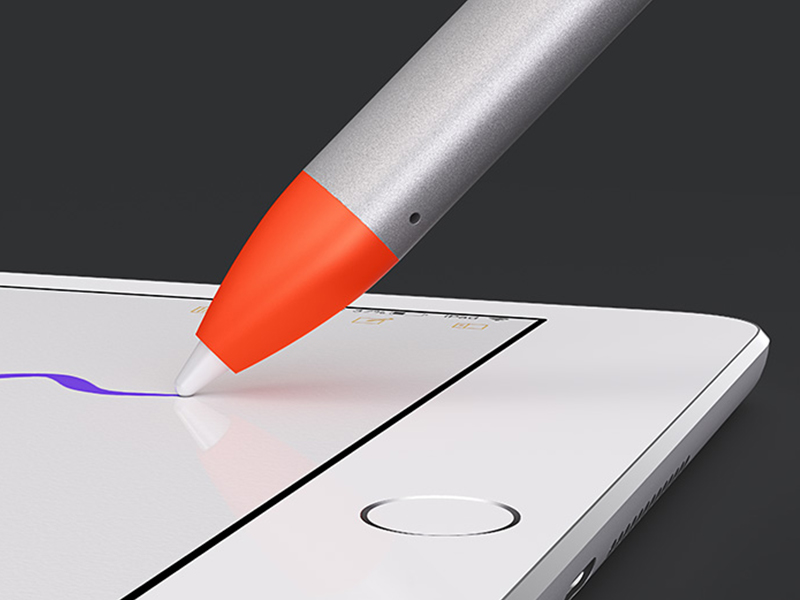
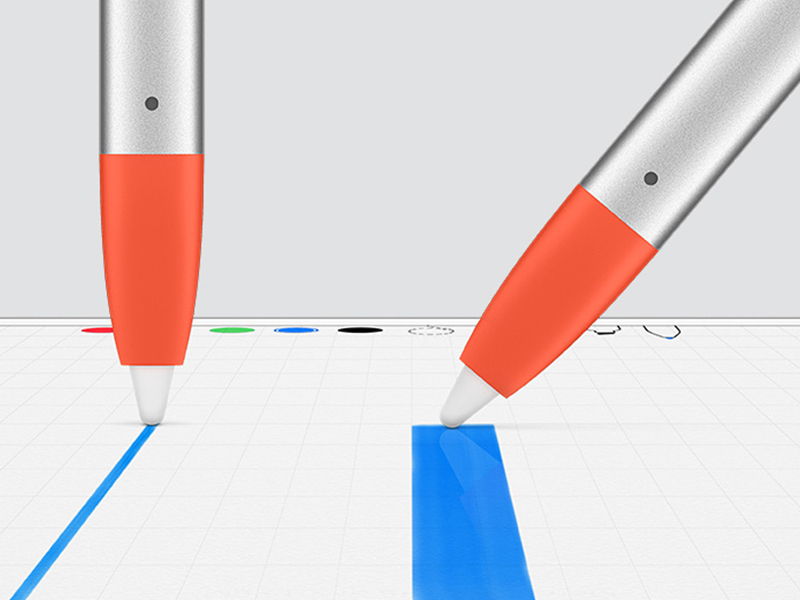
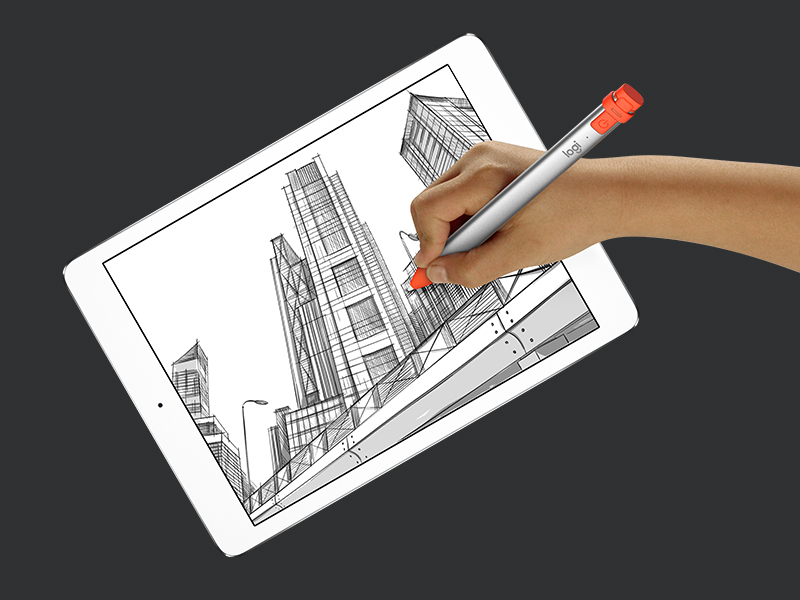
The Logitech Crayon is a high-precision digital pencil compatible with all iPads from 2018 onward, leveraging Apple Pencil technology for seamless writing and drawing. Featuring instant connection, tilt-sensitive smart tip for line variation, and palm rejection, it offers up to 7.5 hours of battery life and a durable anti-roll design. Ideal for professionals and students seeking a cost-effective, reliable stylus with eco-friendly packaging.





| ASIN | B07JFP5G4L |
| Batteries | 1 Lithium Polymer batteries required. (included) |
| Best Sellers Rank | #11,379 in Cell Phones & Accessories ( See Top 100 in Cell Phones & Accessories ) #298 in Styluses |
| Brand | Logitech |
| Color | Orange |
| Customer Reviews | 4.4 4.4 out of 5 stars (6,664) |
| Date First Available | September 26, 2018 |
| Hardware Platform | Tablet |
| Is Discontinued By Manufacturer | No |
| Item Dimensions LxWxH | 0.3 x 0.4 x 6.4 inches |
| Item Weight | 1.6 ounces |
| Item model number | 914-000033 |
| Manufacturer | Logitech |
| Product Dimensions | 0.3 x 0.4 x 6.4 inches |
| Series | Crayon |
| Standing screen display size | 12.9 Inches |
D**K
Great utility and value
The Apple Pencil is the best stylus accessory for the iPad but if you are like me and only spent 300 bucks on your Ipad, the idea of spending a third of that price on an accessory seems excessive. Thankfully, Logitech's alternative is a great solution for those of us who want Apple Pencil features without the cost. The Logitech Pencil is a well-constructed, aluminum-built accessory that is designed in a rectangular shape that as a lefty, I find easier to grip than the Apple Pencil. Additionally, this shape doesn't roll or shift nearly as easily as does Apple's Pencil. I also like the charging implementation better than that of the 1st gen Apple Pencil as you don't have to worry about damaging the pencil by placing it awkwardly inside the iPad. This one just requires plugging into the standard lighting connector that shipped with your iPad. The major drawback of the Crayon is its incompatibility. The Crayon only works with 6th Gen iPads, 3rd Gen iPad Air and the 5th Gen iPad Mini. This incompatibility error stems into cases as well. Most iPad cases that have dedicated slots/silos for the Apple Pencil will not accommodate the Crayon. In fact, I have not found any cases that have built-in slots that are made specifically for the Crayon but have heard Logitech offers one on their site. I can't confirm the veracity of that claim as I have opted to use a separate pencil carrier for my Crayon. I did see that replacement tips are currently $15 on Logitech's website and they last about as long as those for the Apple Pencil. As for the functionality of the Crayon, it's as responsive as the Apple Pencil. In fact, you get all of the features of the Apple Pencil, except pressure sensitivity. If you are an artist, designer or the like you'll have to step up to the Apple Pencil or acclimate yourself with continually switching the thickness settings inside each app you intend to use. While you will see the 'tilt' feature advertised by Logitech as a means of adjusting from a fine line to a thicker one, in my usage I could not consistently trigger this functionality as it would work sometimes and fail others. I eventually gave up on it. If you're a student or a professional or anyone else who has to take digital notes, highlight portions and/or add handwritten markups to them this is an excellent, cost-effective choice. You get 75% of the Apple Pencil's functionality at roughly 60% of the price. You also get a product that is easier to charge and cheaper to maintain. If you can live with the incompatibility issues you'll face with this offering and do not need pressure sensitivity for your workflow I recommend the Logitech Crayon over any other alternative to the Apple Pencil. However, if you are invested in the Apple Ecosystem or want to be certain you will have Day 1 access to all forthcoming features of Ipad OS, spending the extra $40 on the Apple Pencil is the way to go.
A**R
The Logitech Crayon Exceeds Expectations. Easy to draw Digital Art on my ipad
Although I have a Generation One Apple Pencil, I needed a backup stylus for my second (newest) ipad. I work as a Professional Caricature Artist at both private and corporate events in Southeast Florida between Miami and West Palm Beach. Due to budget, most gigs opt for standard 'Traditional' Caricatures (Marker on Paper). Traditional Caricatures average between $100 to $150 per hour in Southeast Florida. Last June (2021) at my request, another Caricaturist and friend taught me how to use the IOS program on my ipad called Procreate, allowing me to expand my art skills specifically at large Corporate venues where money is not an object. Digital Caricature Artist charge between $220 to $300 per hour. The 'WOW' factor where the ipad is connected via HDMI cable to a large monitor is amazing and attendees can view the Digital Art 'come to life.' Sometimes, the 'charge' of both the Apple Pencil and ipad drains quickly when doing lots of drawings at gigs. Unlike the Gen 2 Apple Pencil, which 'attaches' magnetically to the ipad the First generation Apple Pencil MUST be inserted into the ipad 'lightning port'for charging and it takes between 15 to 25 minutes (depending on how much residual charge is left) I recently purchased a second ipad (Gen 9) as a 'back up' and decided to investigate options. The Logitech Crayon works flawless. Once fully charged (30 to 50 minutes at most) you press an area and the green light appears. It automatically works on your ipad. No 'pairing' which is required on Apple Pencils. I did not see any significant change between the Logitech Crayon and my Apple Pencil Gen 1..except..the Apple Pencil is quieter. The Logitech Crayon has more of a mild 'metallic' sound when writing or drawing on the ipad screen. The point looks like plastic (not metal) and it is not a problem. As far as 'pressure sensitivity', since I use the Software Digital Art Software called Procreate, I can easily adjust the opacity and width of the pen or brush strokes on the Procreate interface! The Logitech Crayon arrived promptly (same day, if I recall) from Amazon in South Florida and I now use it more than the Apple Pencil. Highly recommended. A great investment at about $70 for a high quality devise.
L**S
A caneta funciona perfeitamente no ipad, ainda mais nos aplicativos próprios do aparelho, mas funciona bem nos outros. A bateria poderia durar mais, mas pelo menos o carregamento é rápido. Minha dica é desligar sempre que não estiver usando, me ajudou a manter a bateria por mais tempo.
M**O
Great product, Easy to use.
ち**お
本体の使い勝手は良く、問題なく使用できているが外国からの購入なので仕方ないが箱が開封前から痛んでいたのが残念
P**M
Ist nicht der Orginal Stift für iPad ist aber top Qualität und man kann genauso gut damit arbeiten
R**Y
Product didn't worked out but I'm giving max stars for refund procedure.
Trustpilot
5 days ago
3 weeks ago